Maytapi
WhatsApp Channels are one-way broadcast feeds: followers see your posts, react and vote, but cannot reply in a chat. That makes them a good fit for product news, daily content or community updates, and a tedious one to run by hand every day. This guide shows how to use the WhatsApp Channel API in Maytapi to create a channel, publish every post type (including polls, questions and quizzes), read votes and answers back, manage admins and pull follower statistics.
How the WhatsApp Channel API works
A channel has an ID ending in @newsletter, for example 120363098765432109@newsletter. Your paired number owns or administers the channel, and you use the same endpoints you already know:
| Task | Endpoint |
|---|---|
| Create, list, edit, delete | createChannel, getChannels, channel/config, deleteChannel |
| Publish and delete posts | sendMessage with a channel_* type |
| Read posts, votes and answers | channel/getMessages/{conversation_id}, getMessage/{msgId} |
| Statistics | channel/statistics/{conversation_id} |
| Admins | channel_admin_invite message, channel/acceptAdminInvite, channel/revokeAdminInvite, channel/demote |
| Discovery and following | channel/search, channel/searchByCountry/{countryCode}, channel/subscribe and related |
All endpoints live under https://api.maytapi.com/api/PRODUCT_ID/PHONE_ID/ and take your token in the x-maytapi-key header. The examples below use these shell variables:
export PRODUCT_ID=your-product-id
export PHONE_ID=your-phone-id
export TOKEN=your-api-token
Create and configure a channel
createChannel takes a name, plus an optional description and image URL:
curl -X POST "https://api.maytapi.com/api/$PRODUCT_ID/$PHONE_ID/createChannel" \
  -H "x-maytapi-key: $TOKEN" -H "Content-Type: application/json" \
  -d '{
    "name": "Acme Store",
    "description": "New arrivals, restocks and weekly deals",
    "image": "https://example.com/acme-logo.png"
  }'
The response returns the new channel's @newsletter ID and its name. To find channels later, call GET /getChannels. Each item includes channelName, owner, subscribeCount and, with ?invite=true, an inviteLink you can share on your site or in a WhatsApp link.
To change the name, description or image afterwards, send the fields you want to update to channel/config together with conversation_id. channel/inviteCode returns the channel's invite link, and deleteChannel removes a channel you own.
Post updates: text, links, media, audio and stickers
Publishing works through sendMessage. Set to_number to the channel ID and pick a channel message type:
| Type | message field |
Extra fields |
|---|---|---|
channel_text |
Text of the post | |
channel_link |
URL | text (optional) |
channel_media |
Image, video or file URL | text caption (optional), isGif |
channel_audio |
Audio file URL | |
channel_sticker |
Sticker URL (.webp) |
|
channel_poll |
Poll question | options, only_one (optional) |
channel_question |
Question text | |
channel_quiz |
Quiz question | options, correct_option |
channel_delete_message |
ID of the post to delete |
A media post with a caption from Node.js 18+:
const base = `https://api.maytapi.com/api/${PRODUCT_ID}/${PHONE_ID}`;
const headers = { "x-maytapi-key": TOKEN, "Content-Type": "application/json" };
const CHANNEL = "120363098765432109@newsletter";

const res = await fetch(`${base}/sendMessage`, {
  method: "POST",
  headers,
  body: JSON.stringify({
    to_number: CHANNEL,
    type: "channel_media",
    message: "https://example.com/autumn-collection.jpg",
    text: "Autumn styles are live. Free shipping this week only."
  })
});
console.log(await res.json());
channel_link posts get a link preview. Since September 2026 the preview is sent at a larger size, with an automatic fallback to the smaller one when the large preview can't be sent.
Polls, questions and quizzes in channels
The three interactive post types are what make a channel feel two-way.
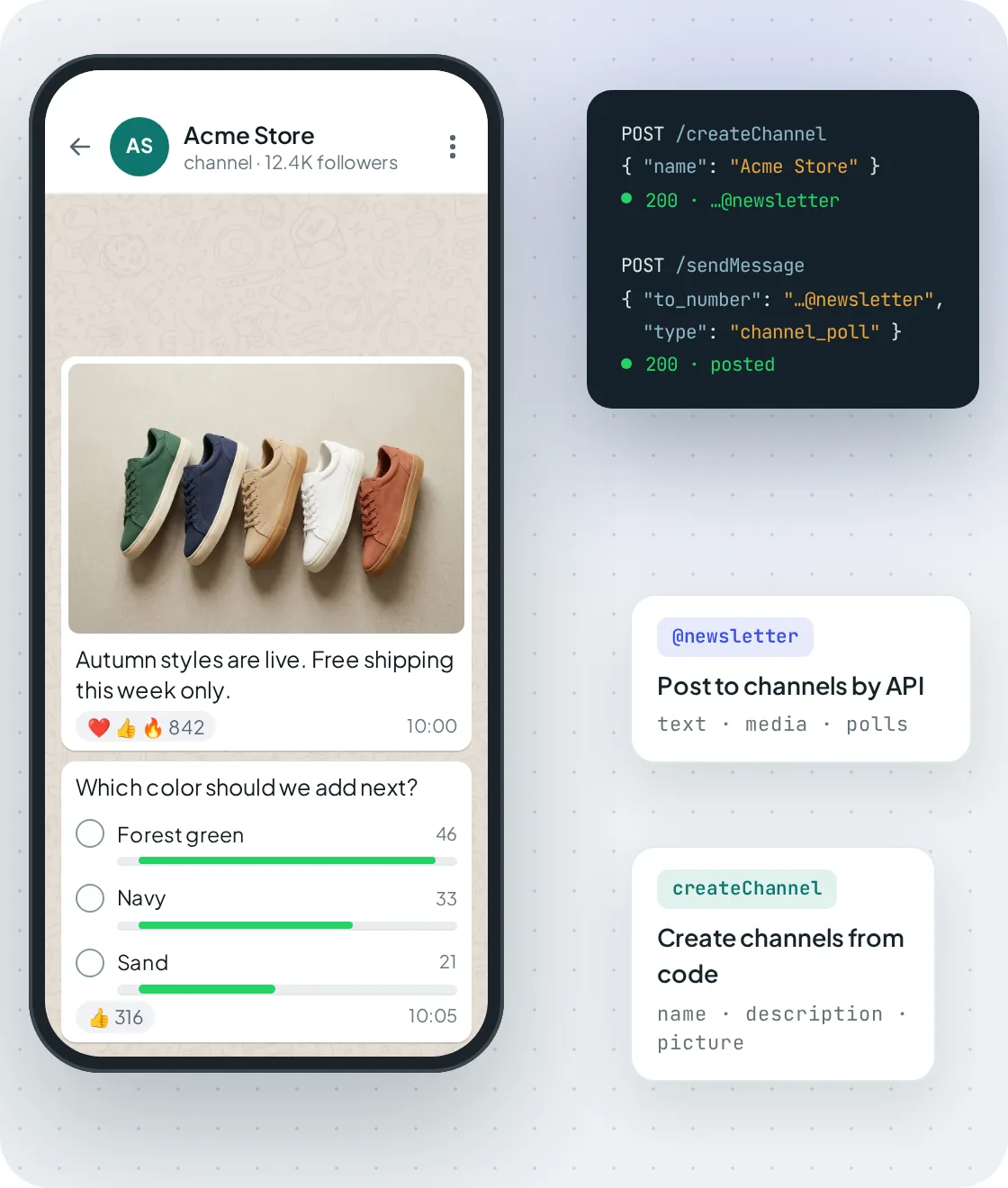
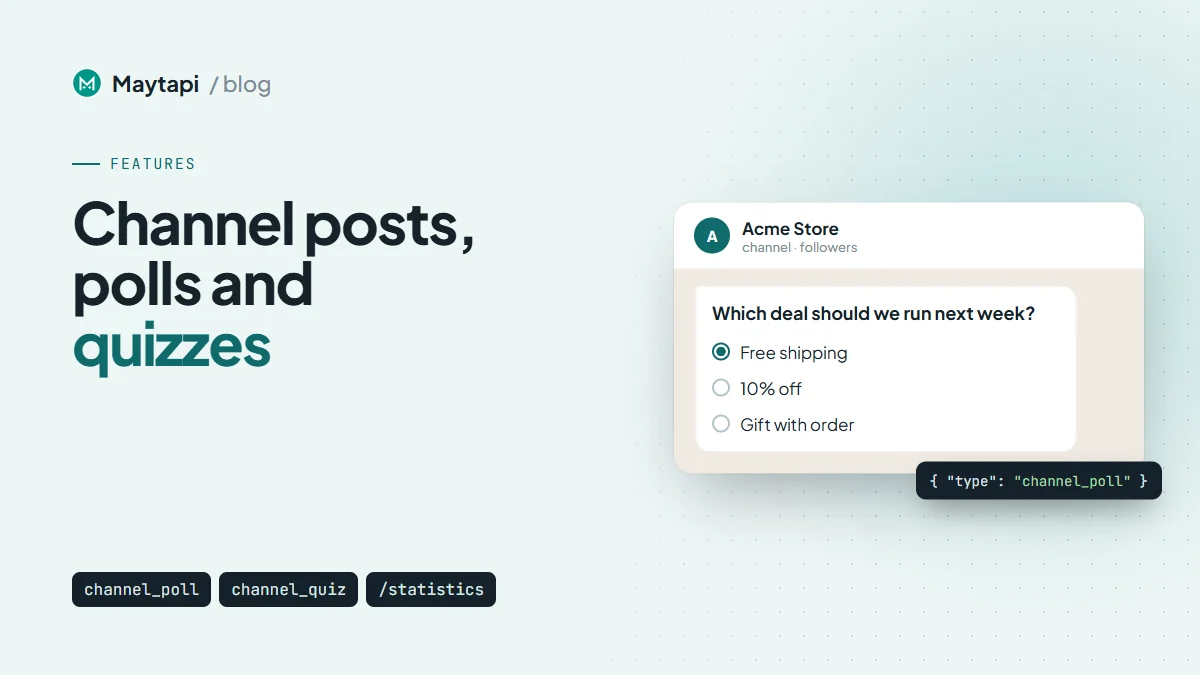
A channel created with createChannel, with a media post and a channel_poll sent through sendMessage.
Polls
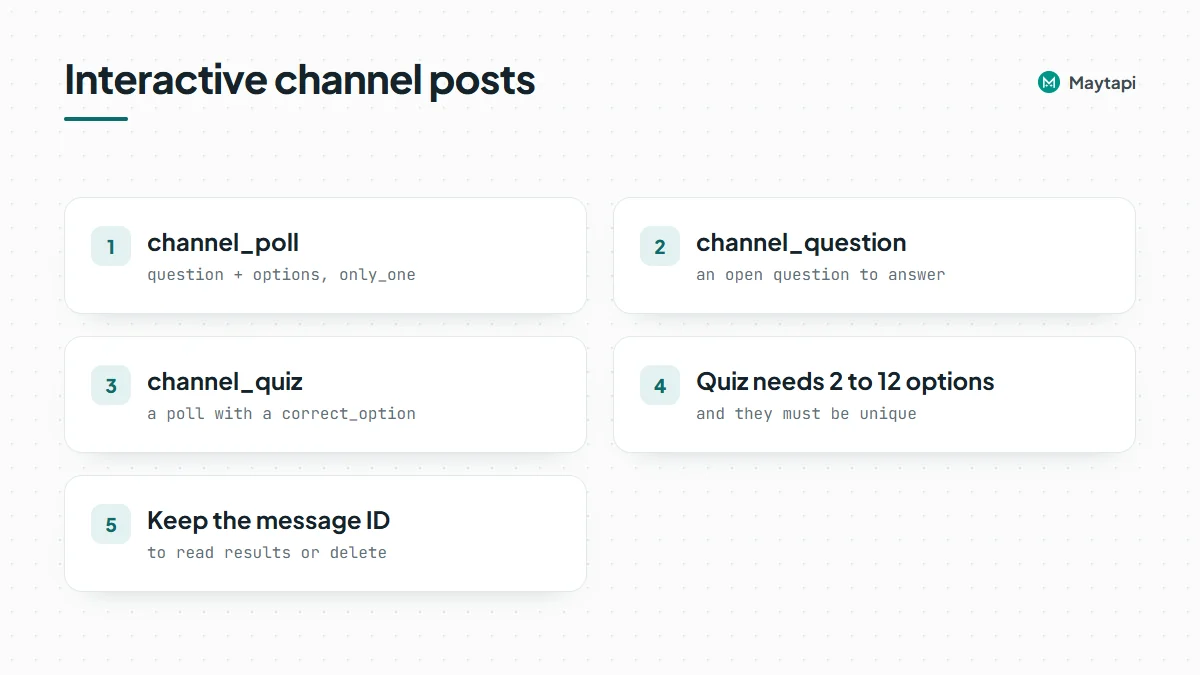
A poll needs the question in message and an options array. Set only_one: true if followers should pick a single answer:
{
  "to_number": "120363098765432109@newsletter",
  "type": "channel_poll",
  "message": "Which color should we add next?",
  "options": ["Forest green", "Navy", "Sand"],
  "only_one": true
}
Questions
channel_question posts an open question that followers can answer. It was added in August 2026:
{
  "to_number": "120363098765432109@newsletter",
  "type": "channel_question",
  "message": "What should our next workshop be about?"
}
Quizzes
channel_quiz (added October 2026) is a poll with a right answer. correct_option is the zero-based index of the correct option, so 1 below means "Paris". A quiz needs between 2 and 12 options, and they must be unique:
{
  "to_number": "120363098765432109@newsletter",
  "type": "channel_quiz",
  "message": "What is the capital of France?",
  "options": ["London", "Paris", "Berlin"],
  "correct_option": 1
}
A few ways teams use these post types: a weekly poll to pick the next product color or event date, a Friday quiz about your industry with the answer revealed in Monday's post, or a question asking followers what they want covered next. Because results are readable through the API, you can feed them into a dashboard or post a summary automatically.
Keep the message ID from the sendMessage response (or read it from channel/getMessages later). You need it to read results or delete the post with channel_delete_message.
Read votes, answers and reactions
GET /channel/getMessages/{conversation_id} returns the channel's recent posts. Use count to set how many posts to fetch and page to go further back. To check a single post, use GET /getMessage/{msgId}.
Each post's message object includes the results for its type:
| Post type | Fields in the response |
|---|---|
| Poll | options (each with name, id, votes), total_votes |
| Quiz | Same as a poll, plus correct_option and correct_votes |
| Question | responses (each with text, timestamp and the responder's user.name; id and phone when the number is saved), total |
| Any post | reactions per emoji, totalReactionCount |
A small script that prints the score of every quiz in the latest 20 posts:
const r = await fetch(`${base}/channel/getMessages/${CHANNEL}?count=20`, { headers });
const { data } = await r.json();
// some connections wrap the result in an array: [{ users, messages, me }]
const { messages } = Array.isArray(data) ? data[0] : data;

for (const post of messages) {
  const m = post.message;
  if (m.correct_option === undefined) continue;
  console.log(m.text, `${m.correct_votes}/${m.total_votes} correct`);
  for (const o of m.options) console.log(`  ${o.name}: ${o.votes}`);
}
Run it on a schedule (or after a quiz closes) and you have a results feed for your next post: "62% got it right, the answer was Paris".
Channel statistics: followers and reach
GET /channel/statistics/{conversation_id} returns the analytics WhatsApp keeps for a channel you own:
| Field | Meaning |
|---|---|
followers, netFollows, followersDelta |
Follower count and change |
accountsReached, followersReached, nonFollowersReached |
Reach in the period |
followersByCountry, reachByCountry |
Breakdown by country code |
growthChartData |
Daily activeFollowers, followersGained, followersLost as [timestamp, count] pairs |
rangeStart, rangeEnd, rangeInDays |
Period the numbers cover |
curl "https://api.maytapi.com/api/$PRODUCT_ID/$PHONE_ID/channel/statistics/120363098765432109@newsletter" \
  -H "x-maytapi-key: $TOKEN"
Check dataStatus before using the numbers. Statistics come from WhatsApp, so a brand new channel may not have data yet.
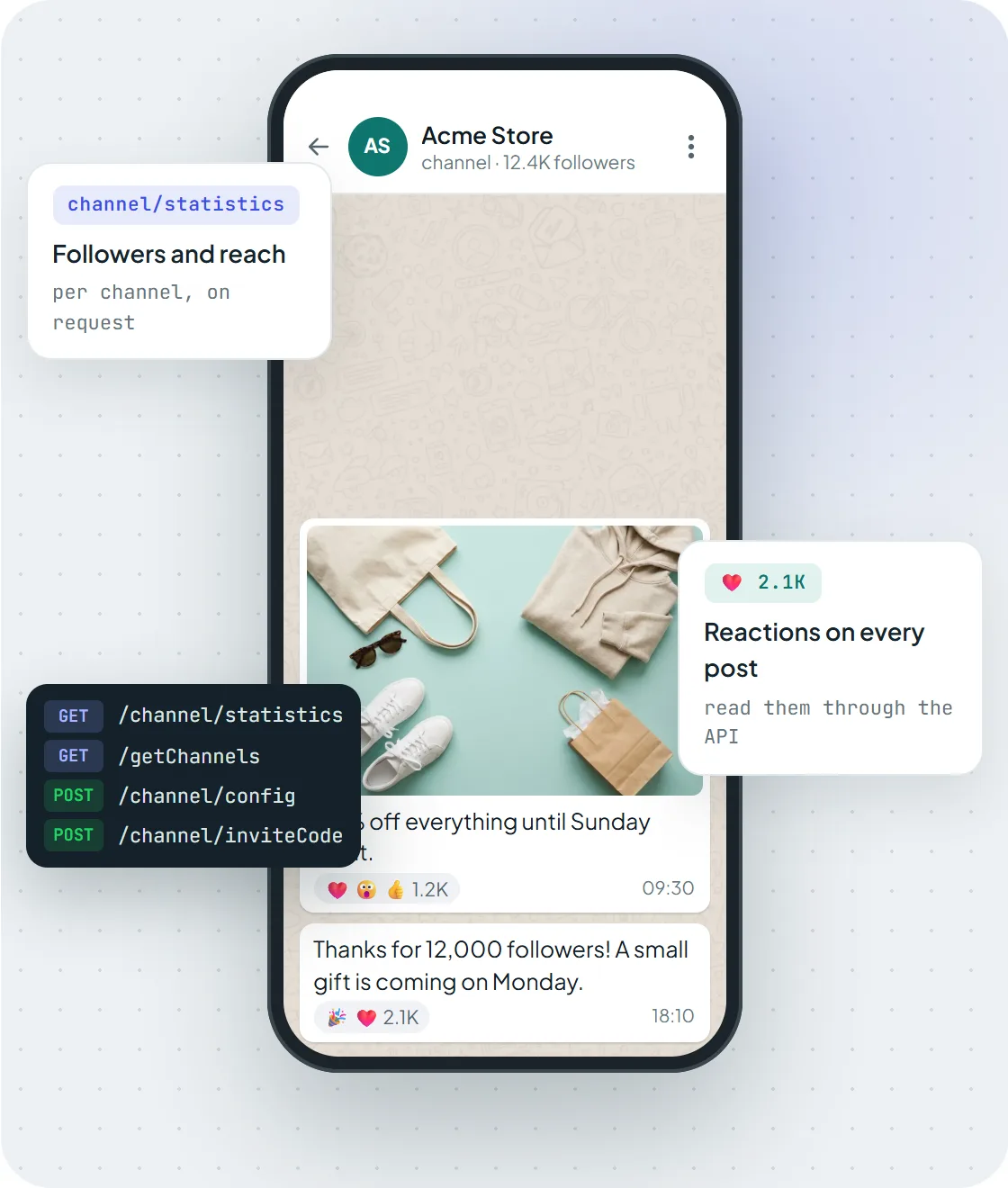
Reactions on each post and the channel/statistics endpoint for followers and reach.
Manage channel admins
Adding an admin is a two-step handshake:
- Send a
channel_admin_invitemessage to the person:to_numberis their number,channelIdis the channel andmessageis the invitation text. - If the invited number is also connected to Maytapi, the invitation arrives on its webhook as a
channel_admin_invitemessage with thechannelIdand an expiry time (inviteCodeExp). That number accepts withchannel/acceptAdminInviteandconversation_idset to the channel. Otherwise the person accepts in WhatsApp.
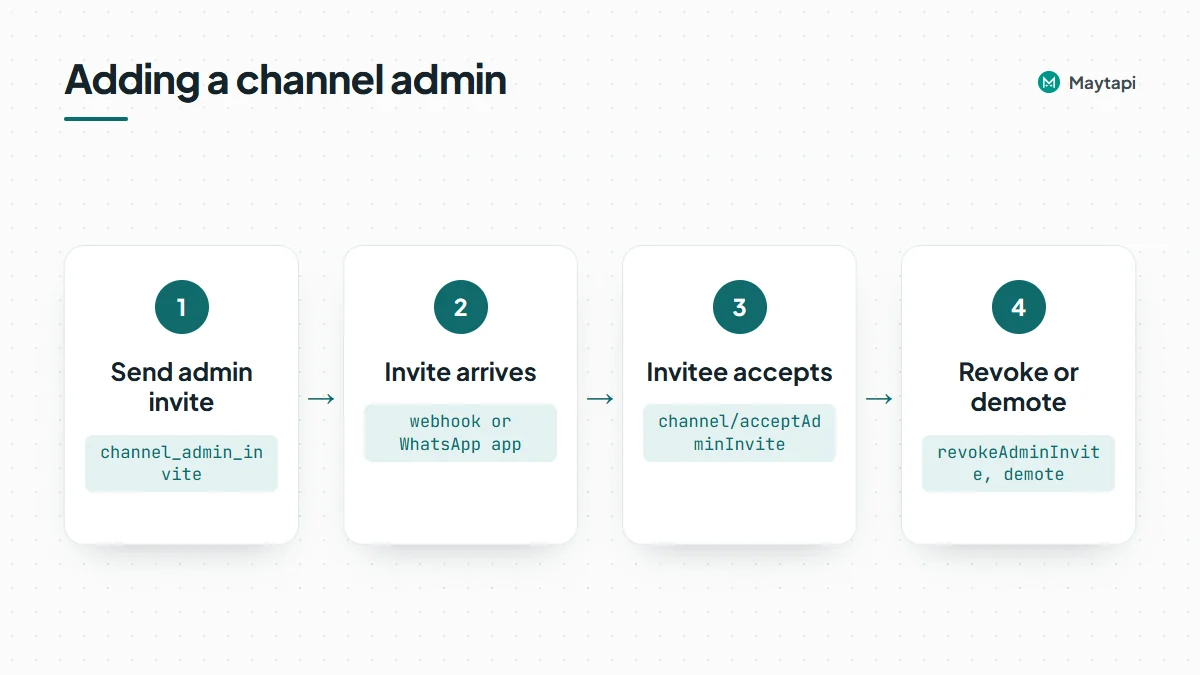
To cancel a pending invitation, call channel/revokeAdminInvite with conversation_id and number. To remove an existing admin, call channel/demote with conversation_id and number (for example 3461xxxxx67@c.us).
To invite followers rather than admins, the channel_invite message type sends a channel invitation card to a contact.
Discover and follow other channels
Your number can also act as a follower, which is handy for monitoring competitors or partner channels:
POST /channel/searchwithtext(andpage) searches channels by keyword.GET /channel/searchByCountry/{countryCode}lists channels for a two-letter country code such asUS.GET /channel/getInfoByInviteCode/{inviteCode}resolves an invite link to a channel.channel/subscribe/channel/unsubscribetake aconversation_id;subscribeByInviteCode/unsubscribeByInviteCodetake aninviteCode.
Search results come in pages of up to 50 channels with channelName, subscribeCount and image. Once you follow a channel, channel/getMessages reads its posts too.
Note: Channels run on your own WhatsApp number through an unofficial API. Posting to your channel is low risk, but keep follows and searches at a human pace and read the ban prevention guide before automating anything at volume.
Next steps
- See every channel endpoint on the WhatsApp Channel API page.
- Running groups as well? The community API guide covers announcements and sub-groups.
- Check request and response examples in the API documentation.
- Create a test channel and post your first quiz on the 3-day free trial.