Maytapi
Polling for new WhatsApp messages is slow and wasteful. A WhatsApp webhook flips it around: every time something happens on your number, Maytapi sends an HTTPS POST with a JSON body to a URL you control. This guide covers how to set the webhook (globally and per number), how to secure it, including the optional static IP, and then walks through every event type you can receive, with payload examples taken from the API reference.
How the WhatsApp webhook works
You register one HTTPS URL. From then on, every phone connected to your product posts its events to that URL as JSON. Each event has a top-level type field, so a single endpoint can route everything:
message: anything that arrives in a chat, plus reactions, poll votes, edits, pins, calls, labels, orders and group notifications, which all ride on this type with their ownmessage.typeorsubtype.ack: delivery and read receipts for messages you sent.status: session state changes for a connected phone.error: a message you queued could not be sent.live_event: agent events, only when you use the API together with LiveChat.
Every event carries product_id (and phone_id where it applies), so one endpoint can serve all the numbers on your account.
Set the webhook URL
setWebhook is a product-level endpoint, so there is no phone id in the path:
curl -X POST "https://api.maytapi.com/api/$PRODUCT_ID/setWebhook" \
  -H "x-maytapi-key: $TOKEN" \
  -H "Content-Type: application/json" \
  -d '{"webhook": "https://example.com/maytapi/webhook"}'
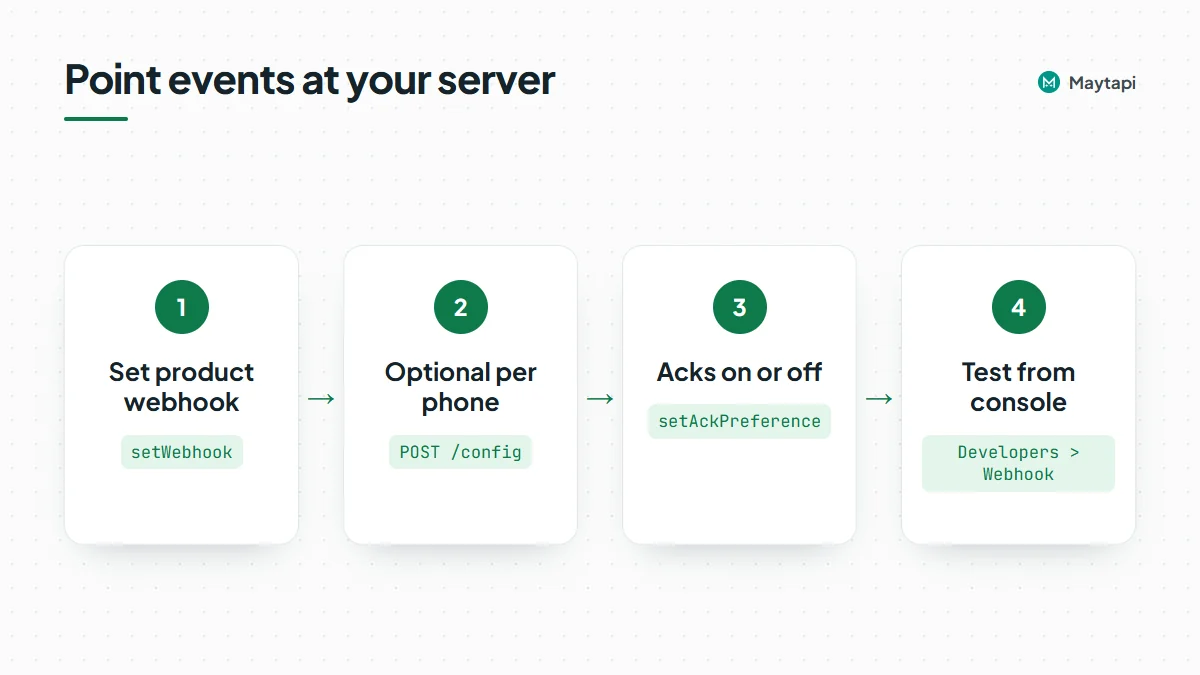
You can also set and change it from the console on the Developers > Webhook page.
A different webhook per phone
If different numbers belong to different clients or systems, give a phone its own URL with POST /config. When a phone's config is empty, the product webhook is used.
curl -X POST "https://api.maytapi.com/api/$PRODUCT_ID/$PHONE_ID/config" \
  -H "x-maytapi-key: $TOKEN" \
  -H "Content-Type: application/json" \
  -d '{"webhook": "https://client-a.example.com/webhook", "ack_delivery": true}'
GET /config returns the current values.
Turn receipts on or off
Ack events can be a large share of your traffic. If you do not need them, switch them off for the product with setAckPreference, and your webhook will only receive incoming messages and status changes:
curl -X POST "https://api.maytapi.com/api/$PRODUCT_ID/setAckPreference" \
  -H "x-maytapi-key: $TOKEN" \
  -H "Content-Type: application/json" \
  -d '{"ack_delivery": false}'
The per-phone ack_delivery flag in /config does the same for a single number.
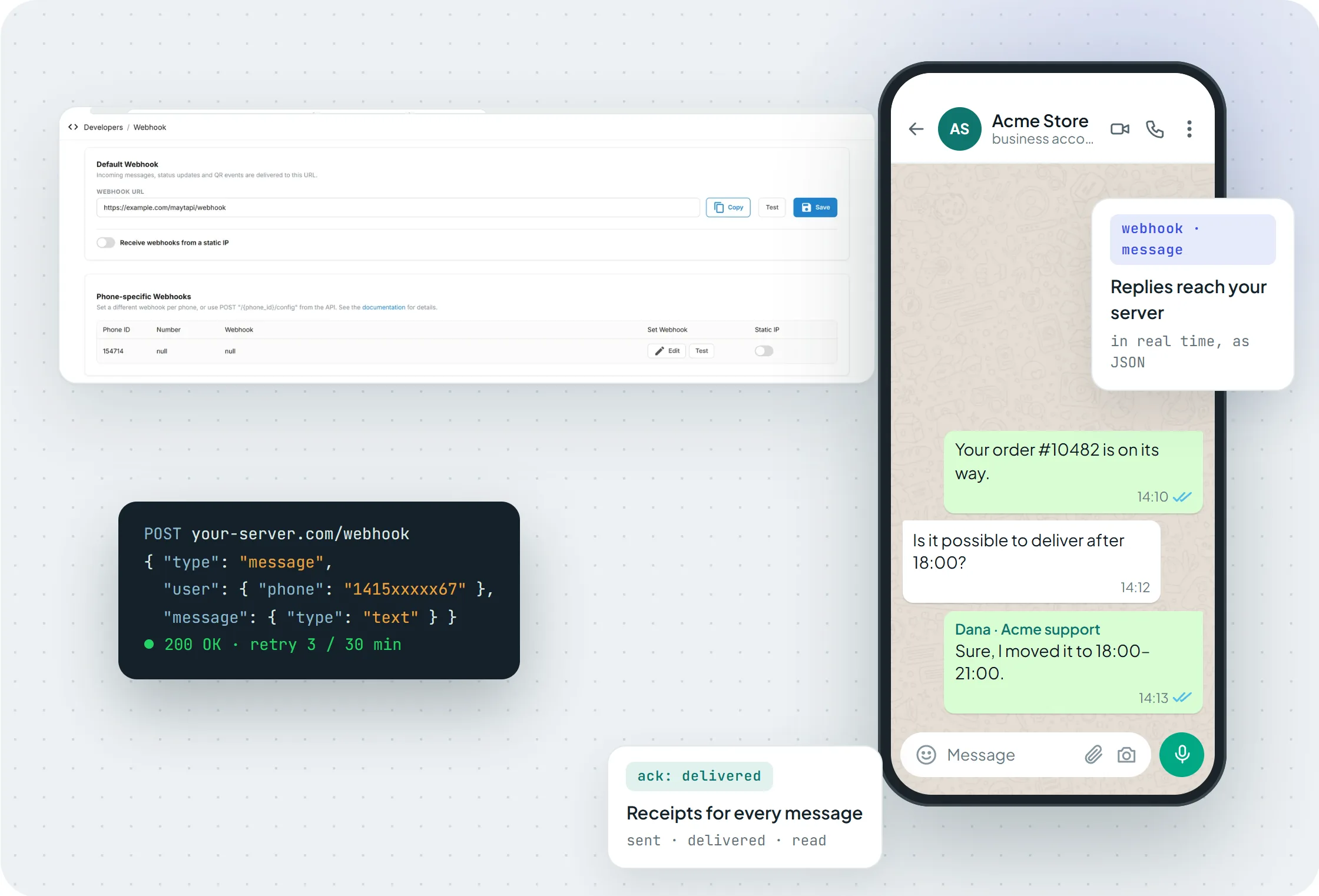 The Developers > Webhook page: a default URL, a static IP switch and a separate webhook per phone, each with a Test button.
The Test button posts a sample message event to your URL and shows the response time, which is the quickest way to check that your endpoint is reachable.
Secure your webhook endpoint
Your webhook URL is a public endpoint that accepts JSON from the internet, so treat it like one.
- Use HTTPS. The webhook must be reachable from the internet. During development, a tunnel such as ngrok can expose your local server.
- Use an unguessable path. Something like
/maytapi/webhook/7f3c9a...keeps random scanners from posting to it. - Check the ids. Reject events whose
product_idis not yours, and route byphone_idonly to numbers you know. - Know what is not there. Requests are not signed and carry no secret header, so the URL path, the id checks and the static IP below are your protection. Keep the URL private and change it if it leaks.
- Allowlist the static IP. Since 14.08.2026 you can enable a static IP on the console webhook page, so deliveries reach you from a single IP. Turn on the switch, copy the IP shown there and allow only that address in your firewall. This is the strongest of these options if your network supports allowlists.
Message events: text, media and more
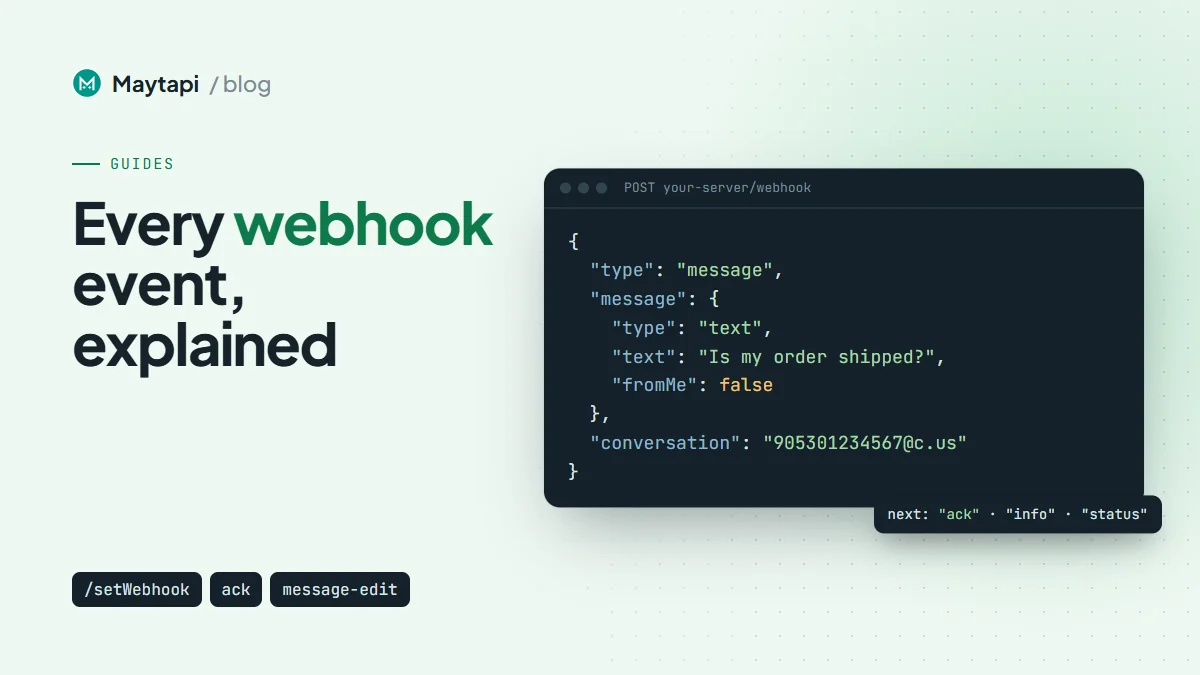
The message event is the one you will handle most. A plain text message looks like this:
{
  "type": "message",
  "product_id": "1a2b3c4d-...",
  "phone_id": 12345,
  "user": { "id": "4072xxxxx67@c.us", "name": "Customer", "phone": "4072xxxxx67" },
  "message": { "id": "3EB081AF26FADE6416D8", "type": "text", "text": "Is my order shipped?", "fromMe": false },
  "conversation": "4072xxxxx67@c.us",
  "receiver": "4072xxxxx21",
  "timestamp": 1574081887,
  "reply": "https://api.maytapi.com/api/1a2b3c4d-.../12345/sendMessage"
}
conversation is the chat id (a group id ending in @g.us for group messages), user is the sender, and reply is a ready-made sendMessage URL for answering. message.fromMe is true for messages sent from your own number, so ignore those in bots or you will reply to yourself.
message.type tells you what arrived. Media types (image, video, document, ptt, audio, sticker, gif, ptv) include a url, mime, filename and an optional caption. A location message carries payload as "latitude,longitude". Contact cards arrive as vcard or multi_vcard. When a message mentions people, mentions lists their ids and contains "all" when the whole group was mentioned.
Reactions, poll votes, edits and pins
These events arrive as message events with their own message.type, and they point back to the original message through parentMsgId. Read reactions and poll votes from these message events. Some connections still send a legacy copy of them under ack, which is deprecated as of 30.10.2026.
A reaction:
{ "type": "reaction", "id": "3EB0...", "parentMsgId": "7EB065B353B9493D00G2", "reaction": "<emoji>", "fromMe": false }
A poll vote (pollVoteUpdate) includes the vote that was just cast:
{
  "type": "pollVoteUpdate",
  "id": "3EB0...",
  "parentMsgId": "7EB065B353B9493D00G2",
  "text": "Poll Message",
  "currentVoteOption": { "id": 1, "name": "a", "votes": 1 },
  "fromMe": false
}
An edit (message_edit) gives you both versions, prevText/newText for text and prevCaption/newCaption for media:
{ "type": "message_edit", "id": "3EB0...", "parentMsgId": "7EB065B353B9493D00G2", "prevText": "See you at 5", "newText": "See you at 6", "fromMe": false }
A pin (pinMessage, on the webhook since 21.04.2026) uses action 1 for pin and 2 for unpin, and duration in seconds (86400, 604800 or 2592000, null on unpin):
{ "type": "pinMessage", "id": "3EB0...", "parentMsgId": "7EB065B353B9493D00G2", "action": 1, "pinned": true, "duration": 86400, "fromMe": false }
Event responses and live location
When someone answers a WhatsApp event you created, you get event_response with eventResponse set to going, maybe or notGoing. Shared live locations arrive as locationLive updates:
{ "type": "locationLive", "id": "3EB0...", "payload": "38.3978531,28.968876", "isLive": true }
Group, call and label notifications
Notifications that are not chat messages arrive with message.type set to info and a subtype.
Group events include group/add, group/remove, group/promote, group/demote, group/leave, group/invite, group/name, group/description, group/restrict, group/announce, group/member_add_mode, group/membership_approval_mode and group/revoke_invite. The participant field names the member involved, and conversation is the group:
{ "type": "info", "id": "3EB0...", "subtype": "group/add", "participant": "4072xxxxx67@c.us" }
Group participants can appear as @lid privacy ids. WhatsApp @lid Explained shows how to resolve them.
Calls use call/ringing, call/miss, call/reject and call/accept. Since 15.09.2026 they include isVideo, so you can tell voice from video calls:
{ "type": "info", "id": "3EB0...", "subtype": "call/ringing", "isVideo": false }
Labels (WhatsApp Business) arrive as label/add and label/remove since 12.10.2026, with the label's id, name and color:
{
  "type": "info",
  "subtype": "label/add",
  "id": "true_4072xxxxx67@c.us_LABELADD845838T1790935070_4021xxxxx67@c.us",
  "fromMe": true,
  "label": { "id": "845838", "name": "Order complete", "color": "#F0B330", "colorIndex": 5 }
}
There is also chat/disappearing, sent when the disappearing-messages timer of a chat changes, with the new timer in ephemeral (seconds).
Orders, receipts and session status
Orders. Since 20.02.2026, an order placed from your WhatsApp catalog arrives as a message event with message.type set to order. It contains the products (title, quantity, price, retailerId), subtotal, total and currency. The catalog and orders guide covers it in detail.
Acks. Receipts for messages you sent come as type: "ack", with a data array:
{
  "type": "ack",
  "product_id": "1a2b3c4d-...",
  "data": [{ "ackType": "seen", "ackCode": 3, "chatId": "4072xxxxx67@c.us", "msgId": "50d8b950-a67f-11eb-91cc-d97af631df95", "time": 1586874663 }]
}
Match msgId to the id that sendMessage returned. Codes run 1 delivered (WhatsApp servers), 2 reached (the phone), 3 seen, 4 played (voice notes) and 5 deleted.
Session status. type: "status" reports the state of a connected phone: active, qr-screen, idle (left on the QR screen for three minutes), conn-retry (reconnecting after a dropped connection), phone-error, loading, disabled, banned, or logout when the session was logged out. Alert someone when a number sits in qr-screen, idle, logout or phone-error, because it needs attention before it can send again.
{ "type": "status", "product_id": "1a2b3c4d-...", "phone_id": 12345, "status": "qr-screen" }
Send errors. A message that sendMessage accepted but your phone could not send arrives as type: "error", with a code, a message and the original request in data. data.id is the msgId the send returned, so you can mark the right message as failed:
{
  "type": "error",
  "product_id": "1a2b3c4d-...",
  "phone_id": 12345,
  "code": "E01",
  "message": "The contact cannot be found!",
  "data": { "id": "3EB0A1B2C3D4E5F6", "to_number": "4072xxxxx67", "type": "text", "message": "Hello" }
}
Common codes are E01 (number not on WhatsApp, or a duplicate dropped by the filter), F12 (WhatsApp has restricted new conversations), F13 and F14 (Safe Mode limits), F16 (new-chat quota used up) and UN5 (key-protected username without the right key). The send message guide lists the full table and what to do for each code.
WhatsApp webhook event reference
| Where | Value | What it means |
|---|---|---|
type |
message |
Incoming or own message; inspect message.type |
message.type |
text, image, video, document, ptt, audio, sticker, gif, ptv, location, vcard, multi_vcard |
Regular chat content |
message.type |
reaction, pollVoteUpdate, message_edit, pinMessage |
Updates that point to parentMsgId |
message.type |
event_response, locationLive |
Event RSVP, live location update |
message.type |
order |
Order placed from your catalog |
message.type |
group_invite, group_invite_v4 |
Group invitation sent in a chat |
message.subtype |
group/... |
Group membership and settings changes |
message.subtype |
call/ringing, call/miss, call/reject, call/accept |
Calls, with isVideo |
message.subtype |
label/add, label/remove |
Label changes on a chat |
type |
ack |
Delivery and read receipts |
type |
status |
Session state of a phone |
type |
error |
A queued message could not be sent; see code |
type |
live_event |
LiveChat agent events (API + LiveChat only) |
Retries, idempotency and a minimal handler
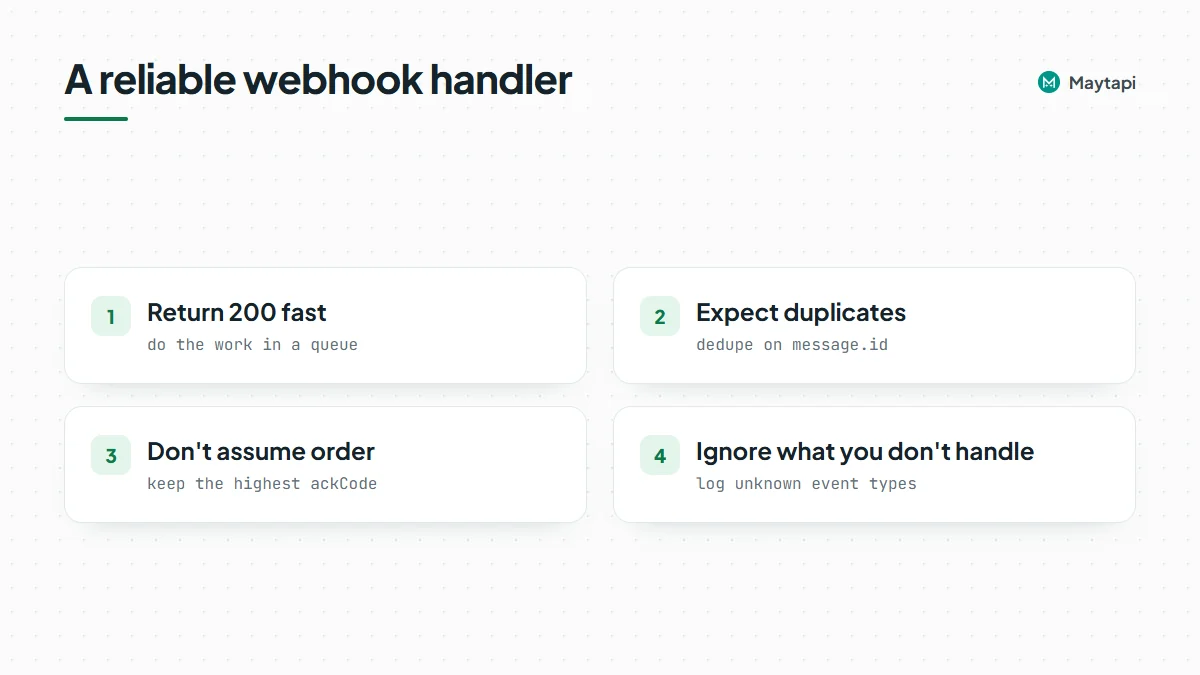
A few habits make a webhook handler reliable:
- Return 200 fast. Acknowledge first, then do the work in a queue or background task. A slow database or AI call should never hold the response.
- Know the retry policy. Any 2xx response counts as delivered. If your endpoint times out (about 10 seconds) or returns another status, Maytapi tries again right away, and if that fails too, makes one last attempt about 30 minutes later. After three failed attempts the event is dropped, so a long outage loses events.
- Expect duplicates. Because of these retries, the same event may arrive more than once. Deduplicate on
message.idfor messages and onmsgIdplusackCodefor receipts. - Do not assume order. A
seenack can be processed beforereachedif your workers run in parallel. Keep the highestackCodeyou have seen per message. - Ignore what you do not handle. New event types get added over time (the changelog lists them), so log unknown types instead of throwing.
A minimal Express handler that follows these rules:
import express from "express";

const { TOKEN } = process.env;
const app = express();
const seen = new Set(); // use Redis or your database in production

app.post("/maytapi/webhook", express.json(), async (req, res) => {
  res.sendStatus(200); // acknowledge first

  const event = req.body;
  if (event.type !== "message" || event.message.fromMe) return;
  if (seen.has(event.message.id)) return;
  seen.add(event.message.id);

  if (event.message.type === "text" && event.reply) {
    await fetch(event.reply, {
      method: "POST",
      headers: { "x-maytapi-key": TOKEN, "Content-Type": "application/json" },
      body: JSON.stringify({ to_number: event.conversation, type: "text", message: "Thanks, we got your message." })
    });
  }
});

app.listen(3000);
Auto-replies are where automation most often trips WhatsApp's spam detection, so keep them relevant and rate-limited. The ban prevention guide explains why.
Next steps
- See the webhook API feature page and the full callback schemas in the API documentation.
- Turn these events into a working bot with Build a WhatsApp Bot with Node.js.
- Prefer no code? Point the webhook at n8n with the Maytapi n8n integration.