Maytapi
Plain text works, but a customer tapping "Confirm" is faster and easier to handle in code than a customer typing "yes I think so". With a WhatsApp buttons API you can send reply buttons, link and call buttons, list menus and swipeable carousels from your own number, with no Meta template review. This post shows the request for each format, explains how the customer's choice comes back to your webhook, and covers the limits worth knowing before you build a flow around them.
What you can send: buttons, lists and carousels
All interactive formats go through the same POST /sendMessage endpoint. Only the type field and its options change.
| Format | type |
Best for | Key fields |
|---|---|---|---|
| Reply buttons | buttons |
Quick answers like Confirm / Cancel | buttons[].id, buttons[].text |
| Link buttons | buttons |
Tracking pages, payment links | buttons[].url |
| Call buttons | buttons |
Calling your support line | buttons[].phoneNumber |
| Copy-code buttons | buttons |
Coupons, one-time codes | buttons[].code |
| List message | list |
Menus with many options | sections[].rows[], button_text |
| Carousel | carousel |
Products and offers side by side | cards[] (up to 10) |
If your code must know what the customer picked, use a list: list replies reach your webhook on every connection. Reply-button taps do not reach it on every connection, as explained in how replies reach your webhook.
Because Maytapi sends from your own number as a linked device rather than through Meta's Business Platform, there is no template approval step and no per-message fee. The trade-off is that you are automating a regular WhatsApp account under WhatsApp's terms, so keep interactive messages for people who expect to hear from you. The ban prevention guide explains what to avoid.
Send WhatsApp reply buttons with the API
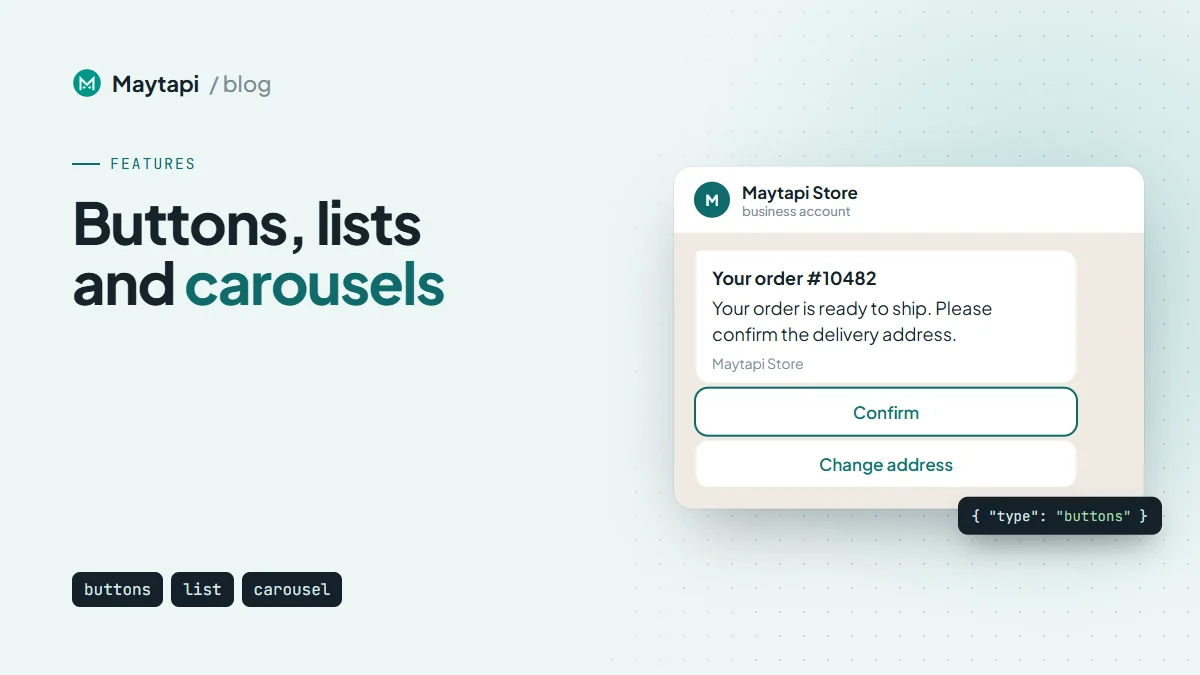
A buttons message has a body (message) and an array of buttons. Each reply button has an id, which usually comes back to your code when the customer taps it, and a text label. title, footer and media are optional.
curl -X POST "https://api.maytapi.com/api/$PRODUCT_ID/$PHONE_ID/sendMessage" \
  -H "x-maytapi-key: $TOKEN" \
  -H "Content-Type: application/json" \
  -d '{
    "to_number": "7916xxxxx67@c.us",
    "type": "buttons",
    "title": "Your order #10482",
    "message": "Your order is ready to ship. Please confirm the delivery address.",
    "footer": "Maytapi Store",
    "buttons": [
      { "id": "confirm", "text": "Confirm" },
      { "id": "change_address", "text": "Change address" }
    ]
  }'
Choose ids your code can route on directly, such as confirm or order_10482_confirm. The label is for the customer and you may want to change or translate it later, while the id stays stable.
Add an image or video header
Since 13.03.2026, buttons messages accept a media field with a URL. The image appears above the body, which is useful for order confirmations, appointment cards and offers:
{
  "to_number": "7916xxxxx67@c.us",
  "type": "buttons",
  "message": "Your order is ready to ship.",
  "media": "https://example.com/order.jpg",
  "buttons": [{ "id": "confirm", "text": "Confirm" }]
}
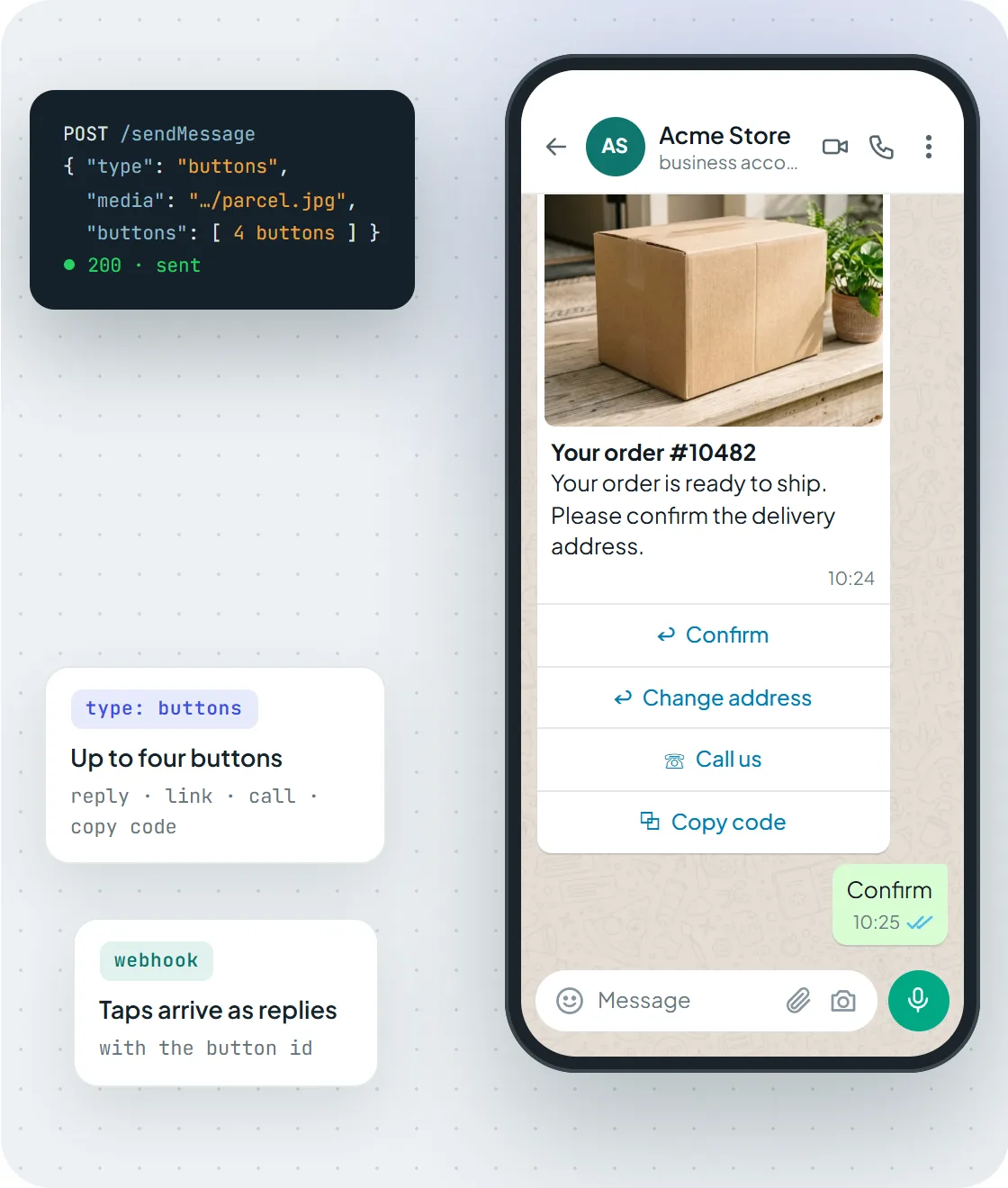
A buttons message with a media header mixing reply, call and copy-code buttons. Reply-button taps usually come back to your webhook carrying the button id.
URL, call and copy-code buttons
You can mix button kinds in one message. Instead of an id, give a button a url to open a link, a phoneNumber to start a call, or a code the customer can copy with one tap:
{
  "to_number": "7916xxxxx67@c.us",
  "type": "buttons",
  "message": "Track your parcel or call us with any questions.",
  "buttons": [
    { "url": "https://example.com/track/10482", "text": "Track order" },
    { "phoneNumber": "7916xxxxx67", "text": "Call us" },
    { "code": "WELCOME10", "text": "Copy code" }
  ]
}
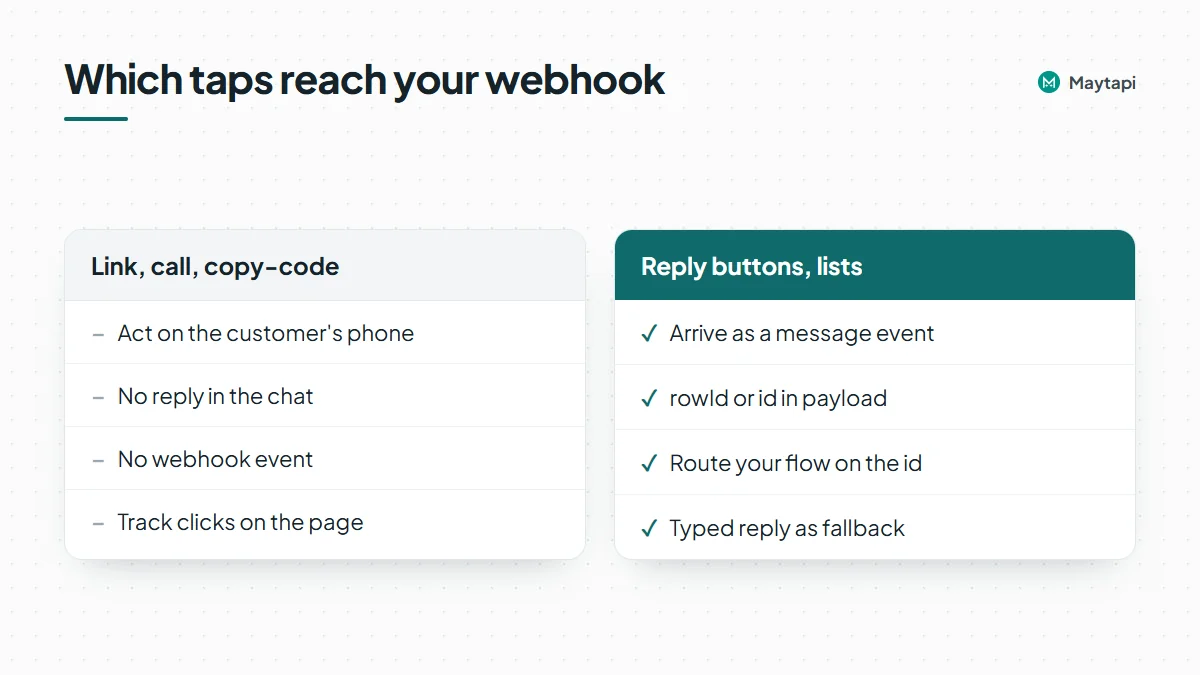
Link, call and copy-code buttons act on the customer's phone: the link opens, the dialer starts, the code is copied. They do not send a reply into the chat, so do not expect a webhook event for them. If you need to know who clicked a link, track it on the page itself, for example with a per-customer URL.
List messages for longer menus
When a few buttons are not enough, send a list. The customer sees your message with a single button (button_text). Tapping it opens a sheet with titled sections, and each row has a rowId, a title and an optional description.
curl -X POST "https://api.maytapi.com/api/$PRODUCT_ID/$PHONE_ID/sendMessage" \
  -H "x-maytapi-key: $TOKEN" \
  -H "Content-Type: application/json" \
  -d '{
    "to_number": "7916xxxxx67@c.us",
    "type": "list",
    "title": "How can we help?",
    "message": "Choose a topic and we will connect you to the right team.",
    "footer": "Support",
    "button_text": "See options",
    "sections": [
      {
        "title": "Support topics",
        "rows": [
          { "rowId": "status", "title": "Order status", "description": "Track a recent order" },
          { "rowId": "returns", "title": "Returns", "description": "Start a return or exchange" }
        ]
      }
    ]
  }'
Lists work well for support menus, branch pickers and appointment slots. Group rows into sections so the sheet stays easy to scan, and keep row titles short enough to read on a phone. Use the description line for the detail that helps someone choose, such as opening hours for a branch or the time zone for a slot, rather than repeating the title. A list is also a good first step in a bot: the selected rowId tells you which branch of the conversation to follow, and you can answer with a second list or a buttons message for the next decision.
Carousel messages: swipeable cards
Carousels, added on 21.04.2026, show several cards side by side. Each card has its own media (required), title, body, optional footer and its own buttons. The API reference sets the limits: up to 10 cards per carousel and up to 5 buttons per card. Cards accept the same reply, URL and call buttons as a buttons message.
{
  "to_number": "7916xxxxx67@c.us",
  "type": "carousel",
  "message": "New arrivals this week",
  "cards": [
    {
      "title": "Classic sneaker",
      "body": "Sizes 38-45",
      "media": "https://example.com/sneaker.jpg",
      "buttons": [
        { "id": "add_sneaker", "text": "Add to cart" },
        { "url": "https://example.com/sneaker", "text": "Details" }
      ]
    },
    {
      "title": "Canvas backpack",
      "body": "Free shipping",
      "media": "https://example.com/backpack.jpg",
      "buttons": [
        { "id": "add_backpack", "text": "Add to cart" },
        { "url": "https://example.com/backpack", "text": "Details" }
      ]
    }
  ]
}
Give every reply button a card-specific id (add_sneaker, add_backpack) so that, when the tap reaches your webhook, you know which card it came from. Put a short typed alternative in the card text as well ("reply SNEAKER"), for the same reason as with buttons. If you sell from a WhatsApp Business catalog, a product or catalog message is the other option: Sell on WhatsApp: Catalog, Products and Order Webhooks via API compares the two.
How button and list replies reach your webhook
When a customer picks a list row, the choice arrives at your webhook as an incoming message event, just like a typed message. It is delivered as text: message.text holds the row title the customer saw, and message.payload holds the rowId you defined. Reply-button taps usually arrive the same way, with the button id in payload, but not on every connection: on some connections a tap does not produce a message event and may not reach your webhook at all. Tap your own buttons while testing and log the events you receive to see which case you have, and use a list when your code must know the exact choice.
A Node.js handler that routes on the id:
app.post("/maytapi/webhook", express.json(), async (req, res) => {
  res.sendStatus(200);

  const { type, message, conversation, reply } = req.body;
  if (type !== "message" || message.fromMe) return;

  const choice = message.payload || message.text; // id when present, label as a fallback
  if (choice === "confirm") {
    await fetch(reply, {
      method: "POST",
      headers: { "x-maytapi-key": TOKEN, "Content-Type": "application/json" },
      body: JSON.stringify({ to_number: conversation, type: "text", message: "Thanks, your order is confirmed." })
    });
  }
});
Falling back to message.text keeps the flow working if a reply comes in without a payload, and it also covers customers who simply type the answer instead of tapping. Ask for a typed answer in the body too ("or reply CONFIRM"), so a button tap that never reaches your webhook doesn't leave the customer stuck. Log the raw event the first time you test each format, so you know exactly what your handler receives. The webhook events guide lists the other fields in a message event.
Limits and good practice
Interactive messages are rendered by the WhatsApp app on the customer's side, and WhatsApp decides how they look. A few rules keep your flows robust:
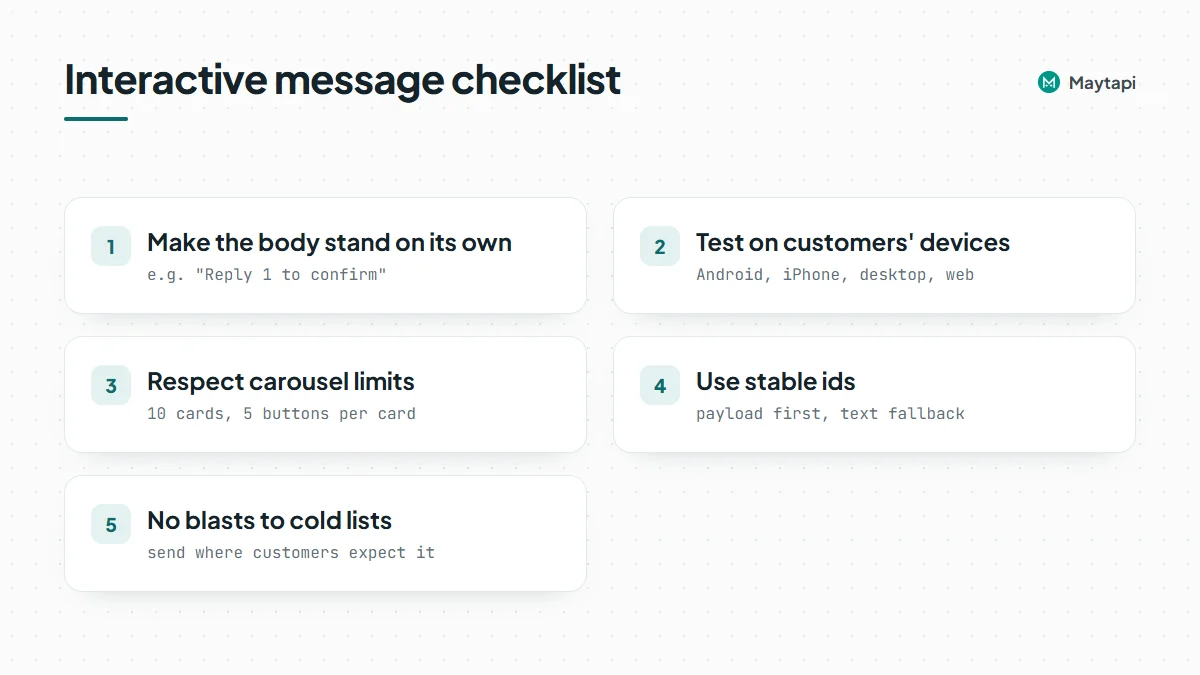
- Make the body stand on its own. Write the message so it still makes sense if the buttons are not shown or the customer ignores them, for example "Reply 1 to confirm" next to the button.
- Test on the devices your customers use. Check the message on Android, iPhone and the desktop or web apps before a campaign, and repeat after WhatsApp updates. The changelog records fixes for interactive sending over time, a sign that WhatsApp changes these formats.
- Respect the carousel limits. Up to 10 cards, up to 5 buttons per card, media on every card.
- Use stable ids. Route on
payloadwhen it is present, with the label or a typed keyword as the fallback. - Do not blast interactive messages to cold lists. Buttons do not change how WhatsApp judges unsolicited messages. Send them in conversations customers started or expect.
Note: Link and call buttons do not produce webhook events. If a flow depends on knowing what the customer did, use a list, or reply buttons together with a typed fallback.
Next steps
- See every format with a phone preview on the interactive messages API page.
- Try the request bodies in the API documentation, where every format has a ready-made example.
- Put buttons into a full bot with Build a WhatsApp Bot with Node.js.