Maytapi
WhatsApp is adding usernames: a unique handle like @john_doe that people can share instead of their phone number. For a business that changes two things. Customers may start giving you a handle on a signup form or in a support chat instead of a number, and some of them will never show you their number at all. This guide shows how to work with WhatsApp usernames through the Maytapi API: resolve a username to a contact, look up the username behind a phone number, send a message straight to @handle, deal with key-protected usernames, and read or set the username of your own connected number.
What WhatsApp usernames are
A WhatsApp username is a unique handle attached to an account. It is not the display name (the "pushname" people see at the top of a chat) and it is not the business name. One account has at most one username, and other people can start a chat with that handle without knowing the phone number behind it.
Two details matter for an integration:
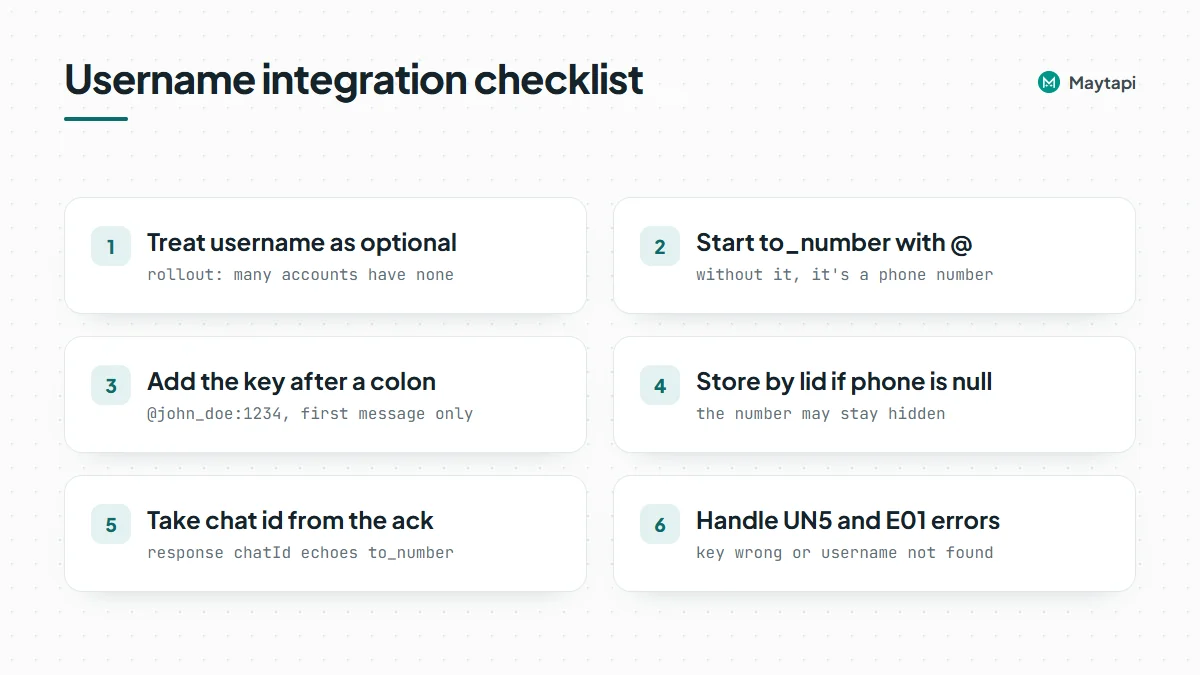
- Rollout. WhatsApp is rolling usernames out gradually, as its username announcement and help article explain. Many accounts don't have one yet, and some can't set one yet. Treat the username as an optional field and keep the phone number or chat id as your primary key.
- Username key. A user can protect their username with a 4-digit key. Someone who doesn't already chat with them needs both the handle and the key to reach them. The key is the user's own setting; you receive it from them, you can't look it up.
Maytapi exposes usernames on these endpoints:
| Task | Endpoint | Body or parameter |
|---|---|---|
| Username to contact | GET /getContacts/usernameToPhone/{username} |
john_doe or john_doe:1234 |
| Phone number to username | GET /getContacts/phoneToUsername/{number} |
55119xxxxxx67 |
| Send to a username | POST /sendMessage |
to_number: @john_doe or @john_doe:1234 |
| Read your own username | GET /getProfileUsername |
|
| Set your own username | POST /setProfileUsername |
username |
All of them live under https://api.maytapi.com/api/PRODUCT_ID/PHONE_ID/ and use your token in the x-maytapi-key header. If you haven't connected a phone yet, start with the getting started guide.
Resolve a username to a contact
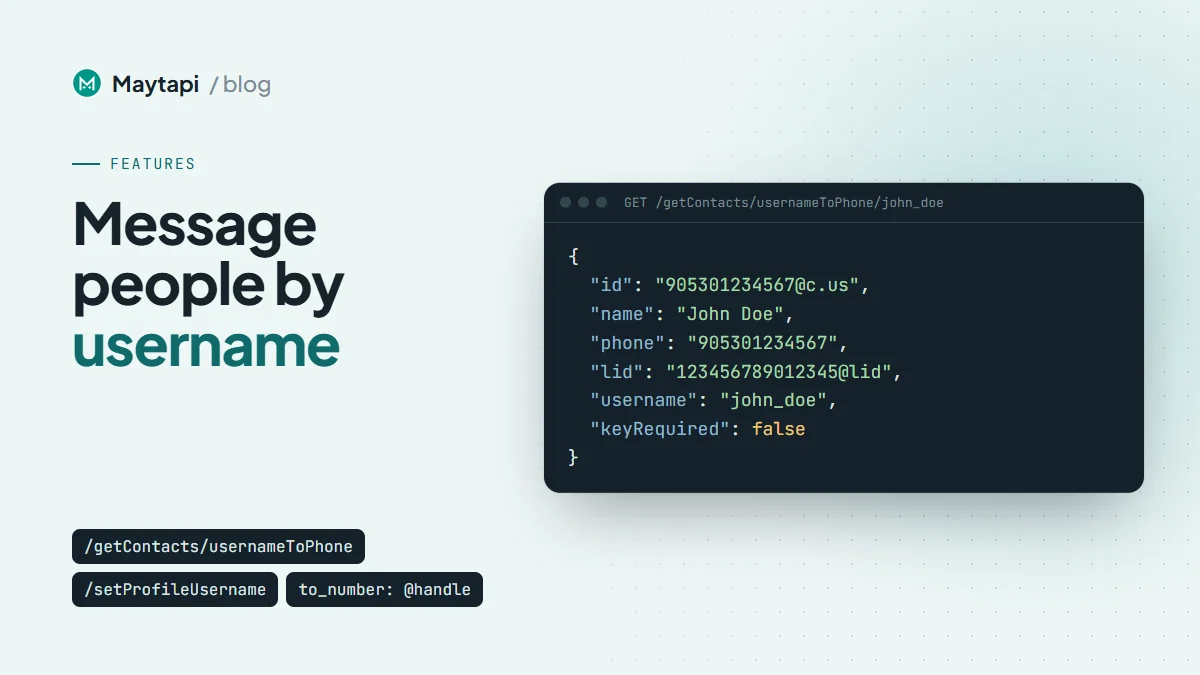
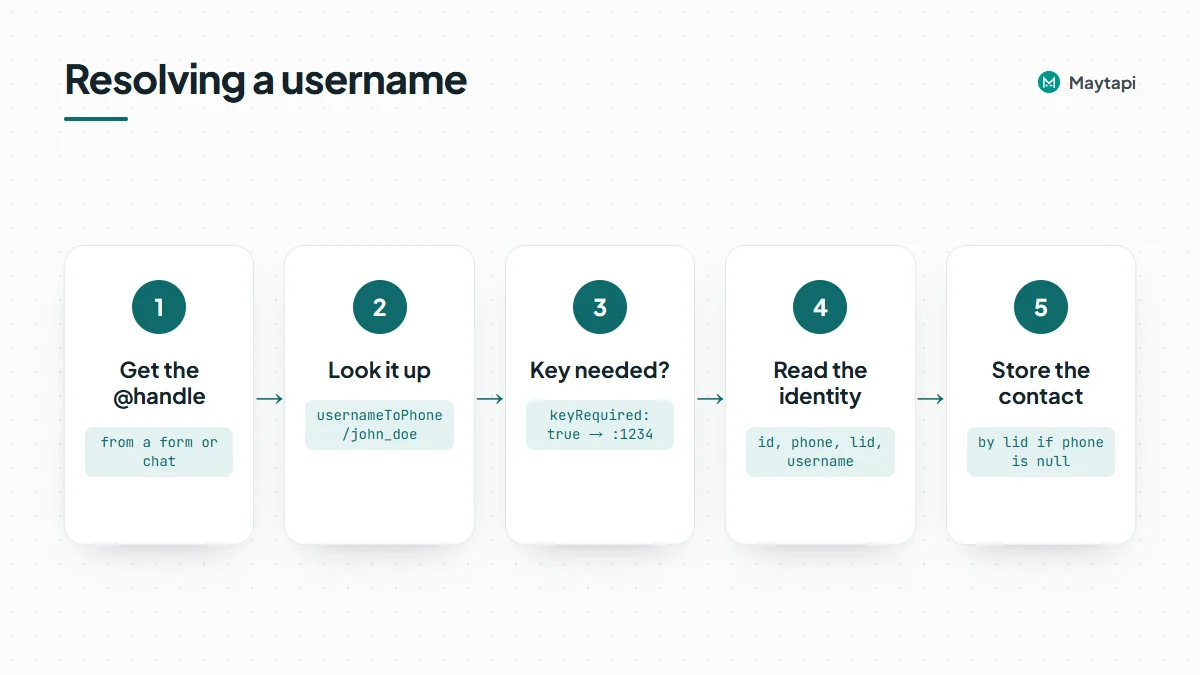
usernameToPhone takes a handle without the @ and tells you who it belongs to. It's a lookup only: it doesn't open a chat or send anything.
curl "https://api.maytapi.com/api/$PRODUCT_ID/$PHONE_ID/getContacts/usernameToPhone/john_doe" \
  -H "x-maytapi-key: $TOKEN"
When WhatsApp shares the phone number with your account, you get the full identity:
{
  "success": true,
  "data": {
    "id": "55119xxxxxx67@c.us",
    "name": "John Doe",
    "phone": "55119xxxxxx67",
    "lid": "123456789012345@lid",
    "username": "john_doe",
    "keyRequired": false
  }
}
id is the chat id you can use anywhere else in the API, phone is the number, and lid is the person's WhatsApp privacy id. Handles are matched in lowercase, so John_Doe and john_doe resolve to the same account.
There are three other outcomes, and your code should handle each one:
| Result | What you get | What it means |
|---|---|---|
| Number hidden | id and lid are the @lid id, phone is null |
The account exists, but WhatsApp doesn't reveal the number to you |
| Key required | data holds only username and keyRequired: true |
The username is key-protected and the key is missing or wrong |
| Not found | success: false |
No account uses this username |
A key-protected username is not an error. The request succeeds and tells you a key is needed. Put the key after a colon in the same path segment and call again:
curl "https://api.maytapi.com/api/$PRODUCT_ID/$PHONE_ID/getContacts/usernameToPhone/john_doe:1234" \
  -H "x-maytapi-key: $TOKEN"
With the right key you get the identity as above. With a wrong key you get keyRequired: true again. The colon format is the same one sendMessage uses, which keeps both calls consistent.
When the phone number is hidden
Usernames exist so people can talk without sharing their number, so a hidden number is a normal result, not a failure:
{
  "success": true,
  "data": {
    "id": "123456789012345@lid",
    "name": "John Doe",
    "phone": null,
    "lid": "123456789012345@lid",
    "username": "john_doe",
    "keyRequired": false
  }
}
You can still message this person. Use the @lid id or the username as the recipient. What you can't do is match them against a phone-number column in your CRM. Store them under the lid (and the username as a label), not under an empty phone. If WhatsApp shares the number later, for example after the person writes to you, the LID to phone number guide shows how to resolve a @lid id with lidToPhone and merge the records.
Send a message to a WhatsApp username
You don't have to resolve a username before messaging it. Pass the handle as to_number and Maytapi resolves it when the message is sent. The @ at the start is required. Without it the value is treated as a phone number.
curl -X POST "https://api.maytapi.com/api/$PRODUCT_ID/$PHONE_ID/sendMessage" \
  -H "x-maytapi-key: $TOKEN" \
  -H "Content-Type: application/json" \
  -d '{
    "to_number": "@john_doe",
    "type": "text",
    "message": "Hi John, your order is ready for pickup."
  }'
For a key-protected username, add the key after a colon:
{
  "to_number": "@john_doe:1234",
  "type": "text",
  "message": "Hi John, your order is ready for pickup."
}
You only need the key for the first message from your number. Once a chat exists, WhatsApp lets your number reach that username without it. Everything else in the request works as usual, so media and the other message types from the send message guide take a username recipient too.
What the response and webhooks contain
sendMessage queues the message and answers right away, before the username is resolved. Because of that, chatId in the response is exactly the to_number you sent:
{
  "success": true,
  "data": {
    "chatId": "@john_doe:1234",
    "msgId": "b2c1f0e0-a4d2-11f0-9c41-3b2f5d7e8a10"
  }
}
Two consequences. First, don't use this chatId as the contact key in your database. Use msgId to follow the message, and take the real chat id from the ack webhook: its chatId is 55119xxxxxx67@c.us when your account knows the number, otherwise the @lid id. Second, if you sent a key, it's echoed in the response, so keep it out of logs you share.
If the username can't be used, the message fails and your webhook receives a type: "error" event with the original request in data:
| Code | Cause |
|---|---|
UN5 |
The username is key-protected and the key is missing or wrong |
E01 |
No account uses this username |
Neither is retried, so fix the input and send again. If you want to fail fast in a form or chatbot, call usernameToPhone first and only queue the message once keyRequired is false. The webhook events guide has the full ack and error payloads.
Find the username behind a phone number
phoneToUsername goes the other way. Pass a number with country code and no special characters:
curl "https://api.maytapi.com/api/$PRODUCT_ID/$PHONE_ID/getContacts/phoneToUsername/55119xxxxxx67" \
  -H "x-maytapi-key: $TOKEN"
{
  "success": true,
  "data": {
    "id": "55119xxxxxx67@c.us",
    "name": "John Doe",
    "phone": "55119xxxxxx67",
    "lid": "123456789012345@lid",
    "username": "john_doe"
  }
}
When the person has no username, the call still succeeds and username is null. That's the common case during the rollout. success: false means the number itself couldn't be resolved. If you're checking a whole list of numbers, filter it with checkPhones first as shown in bulk WhatsApp number check, then look up usernames only for numbers that are on WhatsApp.
You often don't need a separate call. Incoming message webhooks include user.username when the sender has a username your number knows about, and getContacts entries carry a username field under the same rule. In both places the field is simply missing when there's no username, so check for it rather than expecting null.
Note: Look up usernames only for people who gave you the handle or already chat with you. Running large lists of guessed handles through
usernameToPhoneis enumeration: it exposes people who chose not to share their number, and bulk lookups from one number are the kind of activity that gets it restricted.
Read and set your own username
Your connected number can have a username too, which lets customers find your business by handle. Read it with:
curl "https://api.maytapi.com/api/$PRODUCT_ID/$PHONE_ID/getProfileUsername" \
  -H "x-maytapi-key: $TOKEN"
{
  "success": true,
  "data": { "username": "mybusiness_01", "state": "RESERVED", "pin": null }
}
state is ACTIVE or RESERVED, and null together with username: null when no username is set. pin is the username key when WhatsApp returns one for your account; it's usually null.
To set or change it, send the new handle:
curl -X POST "https://api.maytapi.com/api/$PRODUCT_ID/$PHONE_ID/setProfileUsername" \
  -H "x-maytapi-key: $TOKEN" \
  -H "Content-Type: application/json" \
  -d '{ "username": "mybusiness_01" }'
The username must be 3 to 35 characters long, use only letters, digits, underscore and dot, and contain at least one letter. WhatsApp also checks that it's available. On success the response has the same shape as getProfileUsername. On failure success is false with a code:
| Code | Cause |
|---|---|
UN1 |
username is empty or null |
UN2 |
The value breaks the format rules |
UN3 |
WhatsApp refused the change, for example because the name is taken or your account can't use usernames yet |
username is the only body field. The endpoint doesn't set a username key and it doesn't remove a username; sending null or an empty string returns UN1. Manage the key and removal from the WhatsApp app on the phone.
Example: accept WhatsApp usernames on a signup form
Here is a small Node.js handler for a form field that accepts either a phone number or a @handle. It resolves the handle, asks for the key when needed, and stores the contact under the best id available.
const base = `https://api.maytapi.com/api/${PRODUCT_ID}/${PHONE_ID}`;
const headers = { "x-maytapi-key": TOKEN, "Content-Type": "application/json" };

async function resolveRecipient(input, key) {
  const value = input.trim();
  if (!value.startsWith("@")) return { to_number: value }; // phone number

  const handle = value.slice(1) + (key ? `:${key}` : "");
  const res = await fetch(
    `${base}/getContacts/usernameToPhone/${encodeURIComponent(handle)}`,
    { headers }
  ).then((r) => r.json());

  if (!res.success) return { error: "No WhatsApp account uses this username." };
  if (res.data.keyRequired) return { needKey: true };

  return {
    to_number: res.data.id,             // @c.us, or @lid when the number is hidden
    phone: res.data.phone,              // null when hidden
    lid: res.data.lid,
    username: res.data.username,
  };
}

async function welcome(input, key) {
  const r = await resolveRecipient(input, key);
  if (r.error || r.needKey) return r;   // show an error or a "username key" field

  await saveContact(r);                 // key by phone if present, else by lid
  await fetch(`${base}/sendMessage`, {
    method: "POST",
    headers,
    body: JSON.stringify({ to_number: r.to_number, type: "text", message: "Welcome! Reply 1 to confirm your signup." }),
  });
  return { ok: true };
}
Sending to the resolved id instead of the handle means the response chatId is already a real chat id, and you never store the key. Asking for a typed reply ("Reply 1 to confirm") keeps the confirmation step simple, and the interactive messages guide covers list messages if you want something richer.
Next steps
Usernames are a new, optional way to reach people on WhatsApp. Treat them as an extra field, resolve them with usernameToPhone, send with an @ prefix, and store contacts by lid when the number stays hidden.
- Handle
@lidids and merge records with WhatsApp LID to phone number. - See every message type you can send to a username in the send message guide.
- Read ack, error and incoming payloads in the webhook events guide.
- Clean a number list before looking up usernames with bulk WhatsApp number check.
- Check every parameter in the API documentation.
- Resolve your first username on the 3-day free trial.