Maytapi
PHP still runs a large share of the web, and a WhatsApp bot fits it well. Each incoming message is one HTTP request to a script, and each reply is one cURL call. This tutorial builds a WhatsApp bot in PHP with the Maytapi API, using plain PHP 8 and the cURL extension, with no framework and no Composer packages. You'll send a first message, read webhook events from php://input, route commands through a list menu, and reply with images and documents. A short Laravel version comes at the end.
Maytapi is an unofficial WhatsApp API. You link your own WhatsApp number as a device by scanning a QR code, the same way WhatsApp Web works, and then control it over REST and webhooks. There are no message templates and no per-message fees. The other side of that is that your bot speaks from a normal WhatsApp account, so WhatsApp's anti-spam rules apply to it. The production section links to the details, and our WhatsApp Business API alternative page compares this approach with Meta's official Cloud API.
What you need
- PHP 8.0 or newer with the
curlandjsonextensions. Most hosting plans and Docker images have both. - A Maytapi account with a connected phone. The free trial runs for three days and doesn't ask for a card. Scan the QR code in the console with the number the bot should use.
- Your product ID, token and phone ID. The product ID and token are on the console's Product ID & Token page. The phone ID is on the Phones page, or in the
idfield returned byGET /listPhones.
Keep the credentials in environment variables so the same code runs locally and on the server:
export PRODUCT_ID="your-product-id"
export PHONE_ID="your-phone-id"
export TOKEN="your-token"
On PHP-FPM, set them in the pool config (env[TOKEN] = ...) or your hosting panel instead, because FPM workers don't inherit your shell's variables by default.
Send a WhatsApp message with PHP and cURL
Every request goes to https://api.maytapi.com/api/PRODUCT_ID/PHONE_ID/ with the token in the x-maytapi-key header. Put one small helper in maytapi.php and reuse it everywhere:
<?php
declare(strict_types=1);

function maytapi_post(string $url, array $body): array
{
    // webhooks are unauthenticated: only send the token to your own Maytapi product
    $prefix = 'https://api.maytapi.com/api/' . getenv('PRODUCT_ID') . '/';
    if (!str_starts_with($url, $prefix)) {
        return ['success' => false, 'message' => 'unexpected URL'];
    }
    $ch = curl_init($url);
    curl_setopt_array($ch, [
        CURLOPT_POST           => true,
        CURLOPT_HTTPHEADER     => [
            'Content-Type: application/json',
            'x-maytapi-key: ' . getenv('TOKEN'),
        ],
        CURLOPT_POSTFIELDS     => json_encode($body),
        CURLOPT_RETURNTRANSFER => true,
        CURLOPT_TIMEOUT        => 10,
    ]);
    $raw = curl_exec($ch);
    if ($raw === false) {
        return ['success' => false, 'message' => curl_error($ch)];
    }
    return json_decode($raw, true) ?? ['success' => false, 'message' => 'Invalid JSON'];
}
Now check that the number can send. Create send.php:
<?php
require __DIR__ . '/maytapi.php';

$PRODUCT_ID = getenv('PRODUCT_ID');
$PHONE_ID   = getenv('PHONE_ID');

$res = maytapi_post(
    "https://api.maytapi.com/api/$PRODUCT_ID/$PHONE_ID/sendMessage",
    ['to_number' => '90532xxxxx67', 'type' => 'text', 'message' => 'Hello from PHP!']
);
print_r($res);
Run php send.php with your own number in to_number: country code first, no + and no spaces. A successful call returns success: true and a data object with the chatId and msgId. POST /sendMessage adds the message to the phone's sending queue, so if nothing arrives, check the phone's status in the console first. The PHP quick reference has more one-off request examples.
Register your webhook URL
Incoming messages, delivery receipts and phone status changes all go to one URL, set at product level with POST /setWebhook:
curl -X POST "https://api.maytapi.com/api/$PRODUCT_ID/setWebhook" \
  -H "x-maytapi-key: $TOKEN" \
  -H "Content-Type: application/json" \
  -d '{"webhook": "https://bot.example.com/webhook.php"}'
Before saving the URL, Maytapi checks it by posting a sample message event from a test number. Your endpoint therefore has to be reachable when you call setWebhook. The sample has no reply field, and the handler below uses that to skip it. If one product runs several numbers and each should reach a different server, POST /config sets a webhook for a single phone. The webhook events guide covers every event type.
Read incoming messages from php://input
Maytapi sends each event as a JSON POST, so $_POST stays empty. Read the raw body from php://input instead. An incoming text message looks like this:
{
  "type": "message",
  "product_id": "your-product-id",
  "phone_id": "12345",
  "user": { "id": "90532xxxxx67@c.us", "name": "Customer", "phone": "90532xxxxx67" },
  "message": { "id": "3EB081AF26FADE6416D8", "type": "text", "text": "menu", "fromMe": false },
  "conversation": "90532xxxxx67@c.us",
  "receiver": "90532xxxxx21",
  "timestamp": 1574081887,
  "reply": "https://api.maytapi.com/api/your-product-id/12345/sendMessage"
}
conversation is the chat to answer in. reply is the sendMessage URL for the phone that received the message, so your code doesn't have to build it, and a bot serving several numbers always answers from the right one.
Check the reply URL before you send your token. Anyone who learns your webhook address can post a fake event to it, so never send x-maytapi-key to a URL taken from the request without checking it. The send helper only accepts a reply that starts with https://api.maytapi.com/api/ followed by your own product ID. For extra protection, register the webhook with a hard-to-guess path or query parameter (for example /maytapi/webhook?key=…) and reject requests that don't carry it. If your firewall supports allowlists, the static IP option described in the webhook events guide lets you accept deliveries from one address only.
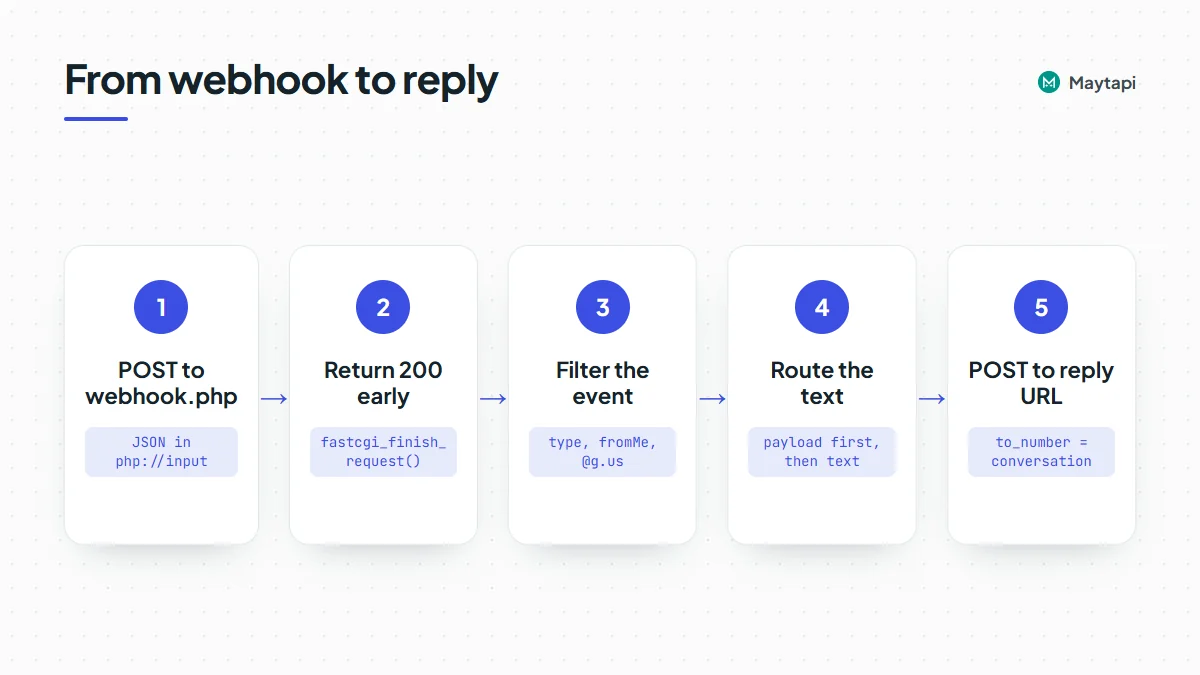
Create webhook.php:
<?php
declare(strict_types=1);
require __DIR__ . '/maytapi.php';
require __DIR__ . '/router.php';

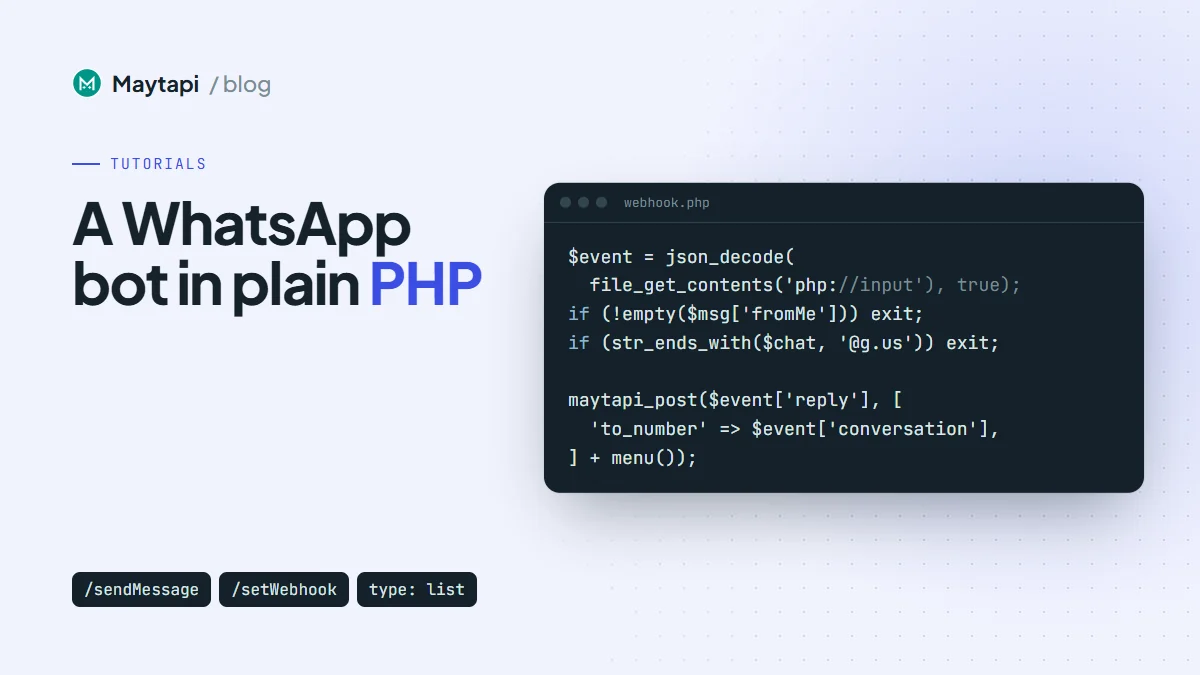
$event = json_decode(file_get_contents('php://input'), true);

// Answer Maytapi right away, then keep working.
http_response_code(200);
if (function_exists('fastcgi_finish_request')) {
    fastcgi_finish_request();
}

if (!is_array($event) || ($event['type'] ?? '') !== 'message') exit;

$msg  = $event['message'] ?? [];
$chat = $event['conversation'] ?? '';

if (!empty($msg['fromMe'])) exit;          // our own messages, including bot replies
if (str_ends_with($chat, '@g.us')) exit;   // one-to-one chats only
if (empty($event['reply'])) exit;          // e.g. the setWebhook check

handle($event);
Each check has a job. fastcgi_finish_request() closes the response under PHP-FPM, so Maytapi gets its 200 while your script keeps running. The built-in server doesn't have it, which is why the call is wrapped in function_exists. fromMe is true for anything your own number sends, including the bot's replies, so skipping it prevents the bot from answering itself in a loop. Group chat IDs end in @g.us, and a command bot that replies to every message in a busy group annoys people quickly. Remove that line once you've decided how the bot should behave in groups.
Route commands with a list menu
Customers don't remember typed commands, so give them a menu. A list message shows one button that opens titled sections, and each row has a rowId. When someone picks a row, the webhook receives an ordinary text message with the row title in message.text and the rowId in message.payload.
Create router.php. The trick here is to use the digits 1, 2 and 3 as row IDs, so a tap and a typed "2" end up in the same branch:
<?php
declare(strict_types=1);

function menu(): array
{
    return [
        'type'        => 'list',
        'title'       => 'Acme Store',
        'message'     => "Hi! How can we help? Tap the menu, or reply 1, 2 or 3.",
        'footer'      => 'Type menu anytime',
        'button_text' => 'Open menu',
        'sections'    => [[
            'title' => 'Shop',
            'rows'  => [
                ['rowId' => '1', 'title' => 'Price list', 'description' => 'PDF with current prices'],
                ['rowId' => '2', 'title' => 'Opening hours', 'description' => 'Store photo and hours'],
                ['rowId' => '3', 'title' => 'Talk to a person', 'description' => 'A team member replies here'],
            ],
        ]],
        'skip_filter' => true,
    ];
}

function handle(array $event): void
{
    $msg = $event['message'];

    // reactions, poll votes, edits, pins, calls and group notices need no answer
    if (in_array($msg['type'] ?? '', ['reaction', 'pollVoteUpdate', 'message_edit', 'pinMessage', 'info'], true)) {
        return;
    }
    if (($msg['type'] ?? '') !== 'text') {
        $body = ['type' => 'text', 'message' => 'I can read text for now. Type *menu* to start.'];
    } else {
        $key  = strtolower(trim((string) ($msg['payload'] ?? $msg['text'] ?? '')));
        $body = match ($key) {
            '1', 'prices' => price_list(),
            '2', 'hours'  => opening_hours(),
            '3', 'agent'  => ['type' => 'text', 'message' => 'Thanks! A team member will reply in this chat.'],
            default       => menu(),
        };
    }

    $res = maytapi_post($event['reply'], ['to_number' => $event['conversation']] + $body);
    if (empty($res['success'])) {
        error_log('sendMessage failed: ' . json_encode($res));
    }
}
Reactions, poll votes, edits, pins and info notices (calls, group changes) also arrive as message events, so the router skips them instead of answering. Anything the router doesn't recognize, including "hi", gets the menu, so a first-time customer always has a next step. Reading payload first and falling back to text keeps the flow working whether people tap or type.
The menu sets skip_filter. sendMessage has a duplicate filter that drops the same content sent to the same chat several times in a short window. That protects you from accidental loops, but a menu is meant to repeat, so it opts out. Leave the filter on for everything else.
List rows are the safest way to collect a choice. Reply-button taps don't reach the webhook as a regular message on every connection, which is why this bot uses a list and accepts typed numbers too. The buttons, lists and carousels guide compares the formats.
Send images and documents
Images, videos, audio and documents all use type: "media". Put a public URL in message, an optional caption in text, and use filename to control the name a document shows in the chat. Add the two remaining functions to router.php:
function price_list(): array
{
    return [
        'type'     => 'media',
        'message'  => 'https://example.com/files/price-list.pdf',
        'text'     => 'Our current price list',
        'filename' => 'acme-price-list.pdf',
    ];
}

function opening_hours(): array
{
    return [
        'type'    => 'media',
        'message' => 'https://example.com/images/store-front.jpg',
        'text'    => "Open Mon-Sat, 09:00-19:00.\nReply menu to go back.",
    ];
}
If the file isn't public, send it inline as a base64 data URI instead of a URL:
$data = 'data:application/pdf;base64,' . base64_encode(file_get_contents('/srv/files/invoice-10482.pdf'));
$body = ['type' => 'media', 'message' => $data, 'filename' => 'invoice-10482.pdf'];
Customers can send files too. Incoming media arrives with a message.type such as image or document, plus url, mime, filename and an optional caption. To keep a copy, download it with file_get_contents($msg['url']) and save it. The handler above answers media with a short note, which is the place to hook that in.
Test the PHP bot locally
Run PHP's built-in server and expose it with a tunnel in a second terminal:
php -S localhost:8000
# second terminal, pick one:
cloudflared tunnel --url http://localhost:8000
ngrok http 8000
Register the HTTPS URL the tunnel prints, with /webhook.php added, using setWebhook. Then message the bot's number from another phone: "hi" should bring up the menu, and "1" should send the PDF. Messages you type on the bot's own phone arrive with fromMe: true and get ignored. Free tunnel URLs usually change when they restart, so if the bot goes quiet, check the webhook URL first.
Production checklist for a PHP WhatsApp bot
Run the bot behind nginx or Apache with PHP-FPM and HTTPS, and register the server's stable URL. Then work through these points before real customers arrive.
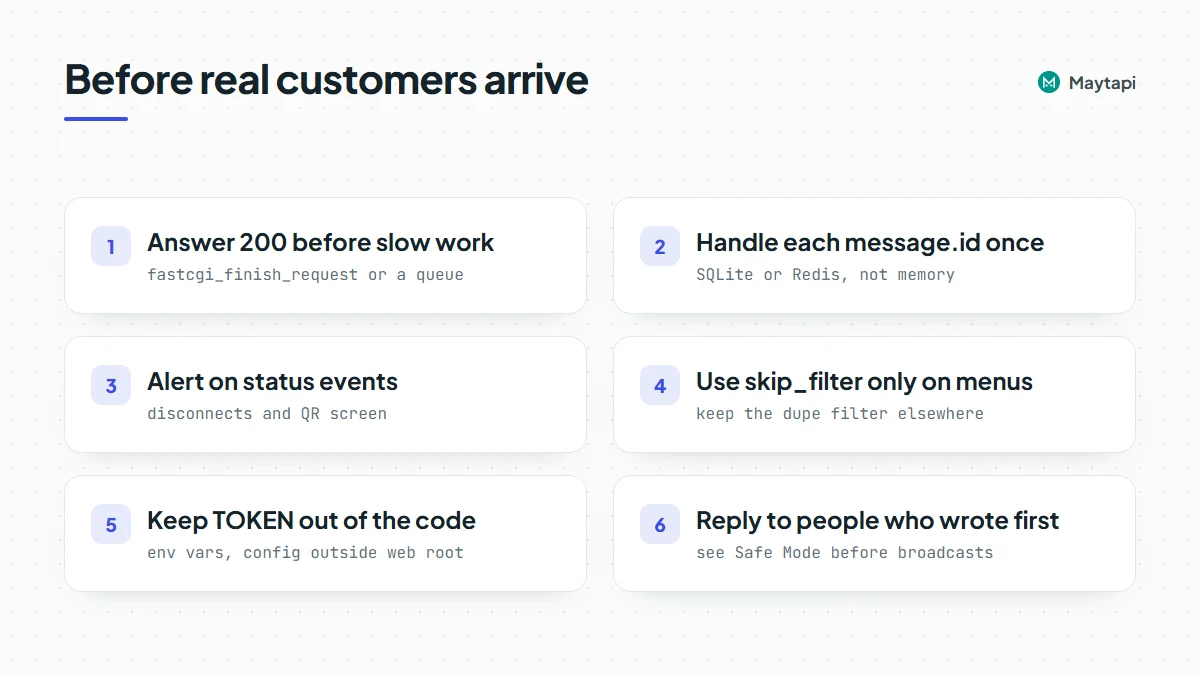
Answer first, work after. fastcgi_finish_request() handles quick replies. For AI calls, order lookups or retries, write the event to a job table or a Redis list and process it with a worker, so the webhook script only parses, stores and returns.
Skip repeats. Use message.id as a key and handle each ID once, so a redeploy or a duplicate delivery never sends the same PDF twice. PHP keeps no memory between requests, so store the IDs. SQLite is enough for one server:
function first_time(string $id): bool
{
    $db = new PDO('sqlite:' . __DIR__ . '/seen.sqlite');
    $db->exec('CREATE TABLE IF NOT EXISTS seen (id TEXT PRIMARY KEY)');
    $stmt = $db->prepare('INSERT OR IGNORE INTO seen (id) VALUES (?)');
    $stmt->execute([$id]);
    return $stmt->rowCount() === 1;
}
// in webhook.php: if (!first_time($msg['id'] ?? '')) exit;
Watch the phone. status events tell you when the number disconnects or returns to the QR screen. Alert someone when that happens. ack events report whether replies were delivered and seen.
Send like a person would. A bot that answers people who wrote first is the safest kind of automation on an unofficial API. Large proactive sends from a new number are what get accounts restricted. Read how Safe Mode prevents WhatsApp bans before you add broadcasts.
Note: Never commit
TOKENto your repository or leave it in a public web root. Load it from the environment or a config file outside the document root.
The same webhook in Laravel
In a Laravel app, the webhook is a route in routes/api.php. API routes skip CSRF checks, so Maytapi can post to them. On Laravel 11 or newer, create the file with php artisan install:api if it doesn't exist yet. Store the token in config/services.php as services.maytapi.token:
use Illuminate\Http\Request;
use Illuminate\Support\Facades\Http;
use Illuminate\Support\Facades\Route;

Route::post('/maytapi/webhook', function (Request $request) {
    $event = $request->json()->all();
    $msg   = $event['message'] ?? [];

    if (($event['type'] ?? '') === 'message' && empty($msg['fromMe'])
        && !str_ends_with($event['conversation'] ?? '', '@g.us') && !empty($event['reply'])) {
        Http::withHeaders(['x-maytapi-key' => config('services.maytapi.token')])
            ->timeout(10)
            ->post($event['reply'], ['to_number' => $event['conversation'], 'type' => 'text', 'message' => 'Got it!']);
    }

    return response('', 200);
});
The URL becomes https://your-app.com/api/maytapi/webhook. When the handler grows, move the send into a queued job so the route returns immediately.
Next steps
Your PHP bot now receives messages, shows a list menu and sends images and documents. To go further:
- Learn every webhook payload, including acks, status and group events, in the webhook events guide.
- Look up the body for every message type in the send message guide.
- Build richer menus with buttons, lists and carousels.
- Compare with the same bot in Node.js, Python or Java.
- Check request bodies in the API documentation.