Maytapi
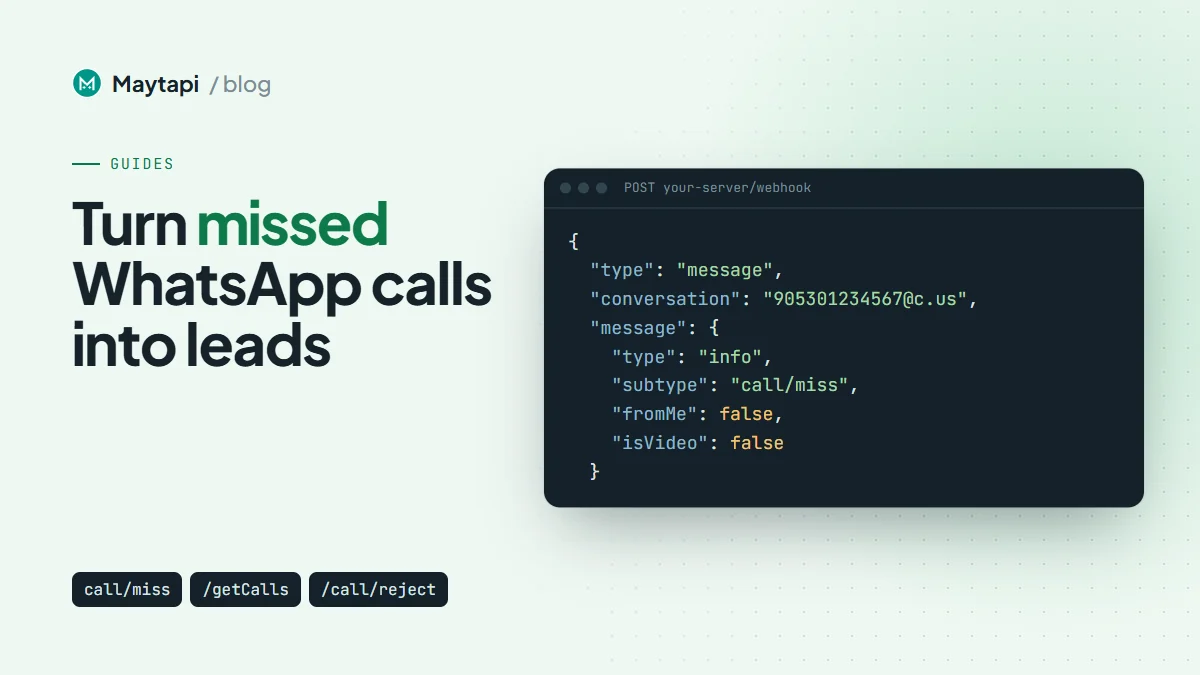
Calls are the part of WhatsApp that most integrations ignore. A customer rings your business number, nobody picks up, and the only trace is a missed-call line on someone's phone. With the Maytapi API, every call on your connected number becomes a webhook event and an entry in a call history you can query. This guide covers the call events you receive, what their payloads contain, the call endpoints (getCalls, call/reject, call/start, call/createCallLink), and a working pattern that logs missed calls to a CRM and answers the caller with a WhatsApp message.
What call events you receive
Call events arrive on your webhook as ordinary message events. The message.type is info and the message.subtype tells you what happened:
| Subtype | When it is sent |
|---|---|
call/ringing |
A call starts ringing on your number |
call/miss |
The call ended without being answered |
call/reject |
The call was declined |
call/accept |
The call was answered on another device, such as the phone itself |
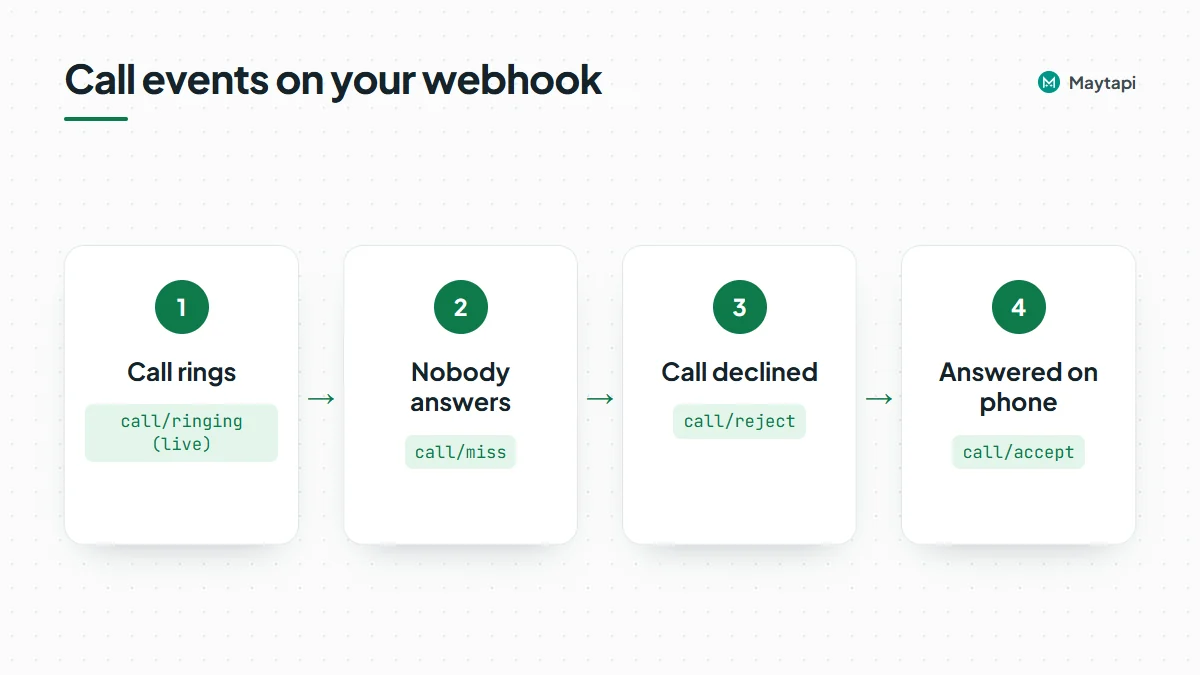
There are two kinds of event here. call/ringing is a live notification: it fires while the call is still ringing, so you can react before it ends. The other three are call log entries that WhatsApp writes when the call is over, and they reach you the same way messages do.
A note on call/accept: your API connection works as a linked device and cannot answer a call itself. When you see call/accept, someone took the call on the phone or another device linked to the number.
Each event also carries isVideo, so you can tell voice calls from video calls. WhatsApp does not report call duration in these events, and there are no separate "initiated" or "answered" stages beyond the four subtypes above.
The call webhook payload
All call events use the standard webhook envelope described in the webhook events guide. A call/ringing event looks like this:
{
  "type": "message",
  "product_id": "1a2b3c4d-...",
  "phone_id": 12345,
  "user": { "id": "90532xxxxx67@c.us", "name": "John Doe", "phone": "90532xxxxx67" },
  "conversation": "90532xxxxx67@c.us",
  "conversation_name": "John Doe",
  "receiver": "90532xxxxx21",
  "timestamp": 1704702074,
  "message": {
    "id": "001FD1B8FA609DB8ED33F441A777AF7B",
    "_serialized": "001FD1B8FA609DB8ED33F441A777AF7B",
    "type": "info",
    "subtype": "call/ringing",
    "fromMe": false,
    "isVideo": false
  },
  "reply": "https://api.maytapi.com/api/1a2b3c4d-.../12345/sendMessage"
}
The fields you will actually use:
useris the caller, withid,nameandphone. Privacy ids (@lid) are resolved to a phone number when WhatsApp makes one available.conversationis the chat the call belongs to. For one-to-one calls it is the caller's@c.usid.message.fromMeistruewhen the call was made from your own number, for example from the phone. Filter on it so you only act on incoming calls.message.isVideoseparates voice and video calls.- The call id. Some connections include a separate
message.callIdwith the raw call id and put a full message id inmessage.id. Readmessage.callIdfirst and fall back tomessage.id. That is the valuecall/rejectandgetCalls/{callId}expect. To see which form your connection uses, log the firstcall/ringingevent you receive.
A call/miss, call/reject or call/accept event has the same envelope. Its message carries type, subtype, id, _serialized and fromMe:
{
  "type": "info",
  "subtype": "call/miss",
  "id": "false_90532xxxxx67@c.us_3EB0C7A1B2D3E4F5A6B7",
  "_serialized": "false_90532xxxxx67@c.us_3EB0C7A1B2D3E4F5A6B7",
  "fromMe": false,
  "isVideo": false
}
isVideo is included on most connections for these three subtypes as well, but it is not guaranteed on every connection, so treat a missing value as unknown rather than as a voice call. The id here is the call log message id. Don't use it with call/reject.
Note: Call events reach you only after a webhook is set. Configure it once with
setWebhookor in the console. Delivery receipts (acks) are off by default and only arrive once you enable them withsetAckPreference, so a call-only handler sees just messages and events.
Read call history with getCalls
Webhooks can be missed while your server is down, so the API also keeps a call history. GET /getCalls lists finished calls:
curl "https://api.maytapi.com/api/$PRODUCT_ID/$PHONE_ID/getCalls?page=1" \
  -H "x-maytapi-key: $TOKEN"
{
  "success": true,
  "limit": 500,
  "count": 1,
  "total": 1,
  "page": 1,
  "data": [
    {
      "timestamp": 1704702000,
      "uid": "90532xxxxx67@c.us",
      "fromMe": false,
      "conversation": "90532xxxxx67@c.us",
      "user": { "id": "90532xxxxx67@c.us", "name": "John Doe", "phone": "90532xxxxx67" },
      "message": { "id": "...", "_serialized": "...", "type": "info", "subtype": "call/miss", "isVideo": false }
    }
  ]
}
Each item uses the same shape as the webhook: user is who made the call (you, when fromMe is true) and conversation is the other party, or the group id for a group call.
Three query parameters control the list:
| Parameter | Effect |
|---|---|
full |
true adds full contact details (name, phone, image) to user and lowers the page size from 500 to 100 |
page |
Page number, starting at 1 |
sort |
true returns oldest first; the default is newest first |
The history only contains the three outcomes call/miss, call/reject and call/accept. Calls still ringing are not listed. It is also limited to the most recent calls the connected session can see, up to 5000. Calls from before you paired the number may be missing.
Look up a single call
GET /getCalls/{callId} returns one call in the same item shape. While the call is still ringing, the subtype is call/ringing. Once it has ended, you get the final outcome:
curl "https://api.maytapi.com/api/$PRODUCT_ID/$PHONE_ID/getCalls/001FD1B8FA609DB8ED33F441A777AF7B" \
  -H "x-maytapi-key: $TOKEN"
Use the call id from the call/ringing event. When the call cannot be found, data is null. Check data rather than success, because success is not the same on every connection in the not-found case.
Reject, start and share calls
Reject an incoming call
POST /call/reject declines a call that is still ringing. It takes the call id from the call/ringing webhook:
curl -X POST "https://api.maytapi.com/api/$PRODUCT_ID/$PHONE_ID/call/reject" \
  -H "x-maytapi-key: $TOKEN" \
  -H "Content-Type: application/json" \
  -d '{"callId": "001FD1B8FA609DB8ED33F441A777AF7B"}'
Rejecting only works while the call rings. After it ends there is nothing left to reject, and the request returns success: false with a message.
Start an outgoing call
POST /call/start rings a number from your account. This is an attention call: it rings the recipient and hangs up as soon as they answer or when duration runs out. It carries no audio, so use it as a nudge before an important message, not as a phone line.
curl -X POST "https://api.maytapi.com/api/$PRODUCT_ID/$PHONE_ID/call/start" \
  -H "x-maytapi-key: $TOKEN" \
  -H "Content-Type: application/json" \
  -d '{"to_number": "90532xxxxx67", "duration": 5}'
to_number is the number with country code and no +. Always send duration: it must be a whole number of seconds from 1 to 30, or the call is not started. A successful response returns data.callId and data.chatId. On failure you get success: false with a message and a code, for example when the number is not on WhatsApp or another call is already active.
Create a call link
POST /call/createCallLink returns a shareable https://call.whatsapp.com/... link that people can use to join a call:
curl -X POST "https://api.maytapi.com/api/$PRODUCT_ID/$PHONE_ID/call/createCallLink" \
  -H "x-maytapi-key: $TOKEN" \
  -H "Content-Type: application/json" \
  -d '{"callType": "video", "timestamp": 1893456000}'
Send callType and a timestamp (Unix seconds, in the future) for the scheduled call. The link comes back in data. You can send it in a normal text message, for example in a booking confirmation.
Log missed calls to a CRM and reply automatically
Here is the use case most teams want: when a customer calls and nobody answers, create a CRM activity and send them a WhatsApp message so the conversation keeps going.
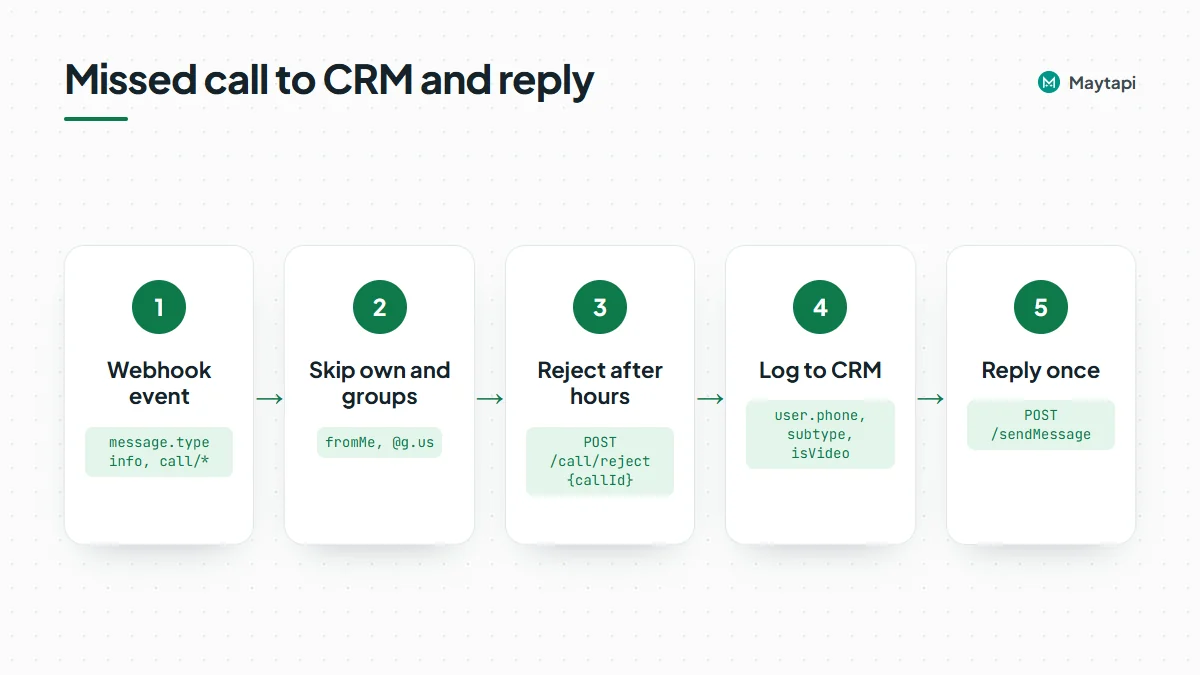
The handler below runs on Express and Node.js 18 or newer. It does two things:
- On
call/ringingduring closed hours, it rejects the call so the caller is not left waiting, and follows up right away. - On
call/missorcall/rejectfrom a customer, it logs the call and sends one reply.
import express from "express";

const { PRODUCT_ID, PHONE_ID, TOKEN } = process.env;
const base = `https://api.maytapi.com/api/${PRODUCT_ID}/${PHONE_ID}`;
const headers = { "x-maytapi-key": TOKEN, "Content-Type": "application/json" };

const app = express();
app.use(express.json());

const lastFollowUp = new Map(); // conversation -> time of last follow-up (ms)
const isOpen = () => { const h = new Date().getHours(); return h >= 9 && h < 18; };

async function followUp(event, outcome) {
  const last = lastFollowUp.get(event.conversation) ?? 0;
  if (Date.now() - last < 6 * 60 * 60 * 1000) return; // once per 6 hours per chat
  lastFollowUp.set(event.conversation, Date.now());

  await crm.logCall({
    phone: event.user?.phone,
    name: event.user?.name,
    outcome,
    video: event.message.isVideo,
    at: new Date(event.timestamp * 1000)
  });

  const text = isOpen()
    ? "Sorry we missed your call. Reply here and we'll answer you in a few minutes."
    : "Thanks for calling. We're closed right now and open again at 9:00. Leave us a message here.";

  await fetch(`${base}/sendMessage`, {
    method: "POST",
    headers,
    body: JSON.stringify({ to_number: event.conversation, type: "text", message: text })
  });
}

app.post("/webhook", async (req, res) => {
  res.sendStatus(200); // acknowledge first, work after
  const event = req.body;
  const m = event.message;
  if (event.type !== "message" || m?.type !== "info") return;
  if (!m.subtype?.startsWith("call/") || m.fromMe) return;
  if (event.conversation?.endsWith("@g.us")) return; // skip group calls

  if (m.subtype === "call/ringing" && !isOpen()) {
    const callId = m.callId || m.id;
    await fetch(`${base}/call/reject`, { method: "POST", headers, body: JSON.stringify({ callId }) });
    return followUp(event, "reject");
  }

  if (m.subtype === "call/miss" || m.subtype === "call/reject") {
    return followUp(event, m.subtype.split("/")[1]);
  }
});

app.listen(3000);
crm.logCall stands for your own CRM client. A few details are worth keeping:
- One follow-up per caller. A call you reject can be followed by a
call/rejectlog event, and a caller who tries three times in a row produces three events. The per-chat window turns all of that into one CRM entry and one message. Keep it in Redis or your database if you run more than one instance. - Resolve
@lidids. Ifconversationends in@lid, WhatsApp did not share the number. The LID to phone number guide shows how to resolve it before you match the CRM record. - Reconcile from history. A scheduled job that reads
getCallsand compares it with the CRM catches any calls you missed while your server was offline.
Practical tips
- Answer only people who called you. A short reply to a missed call is expected. Sending automated messages to numbers that never contacted you is a different matter. Read how Safe Mode prevents WhatsApp bans before you add any outbound flow.
- Use
call/startsparingly. An unexpected call is more intrusive than a message, and automated calls to people who don't know your number are the kind of activity that gets a number restricted. Keep it for people who asked to be called, such as an appointment reminder, and read the Safe Mode and ban prevention guide first. - Label callers. If your CRM tracks stages, combine this with the labels sync guide to tag chats that came in by phone.
- Hand off to agents. On a shared number, route missed-call replies into the multi-agent platform so a person picks up the thread.
Next steps
- See every event type and the full envelope in the webhook events guide.
- Build the reply logic into a full bot with Node.js or Python.
- Run the same flow without code using n8n.
- Check every call endpoint and its body in the API documentation.