Maytapi
Labels are how many WhatsApp Business teams track where a customer stands: "New lead", "Quote sent", "Paid", "Follow up". The trouble starts when the same information also lives in a CRM, and someone updates one but not the other. This guide shows how to use the WhatsApp Labels API in Maytapi to create and assign labels from code, and how to keep them in two-way sync with your CRM using label webhooks without creating update loops.
What the WhatsApp Labels API can do
Labels are a WhatsApp Business feature, so the paired number must be a WhatsApp Business account. With a regular WhatsApp account these endpoints have nothing to work with.
| Task | Endpoint | Body or parameter |
|---|---|---|
| List labels | GET /getLabels |
|
| List chats with a label | GET /getLabels/{label_id} |
|
| Available colors | GET /label/getlabelColors |
|
| Create a label | POST /createLabel |
label_name, color |
| Rename or recolor | POST /label/edit |
label_id, label_name, color |
| Delete labels | POST /label/remove |
label_ids array |
| Label a chat | POST /addLabel |
label_id, conversation_id |
| Unlabel a chat | POST /removeLabel |
label_id, conversation_id |
All of them live under https://api.maytapi.com/api/PRODUCT_ID/PHONE_ID/ and use your token in the x-maytapi-key header. On top of that, since October 2026 every label change on a chat is delivered to your webhook as a label/add or label/remove event. That is what makes a real two-way sync possible.
Create labels that match your CRM stages
Start by deciding which CRM field the labels mirror. Pipeline stage is the usual choice because it's a single value per contact and changes at clear moments.
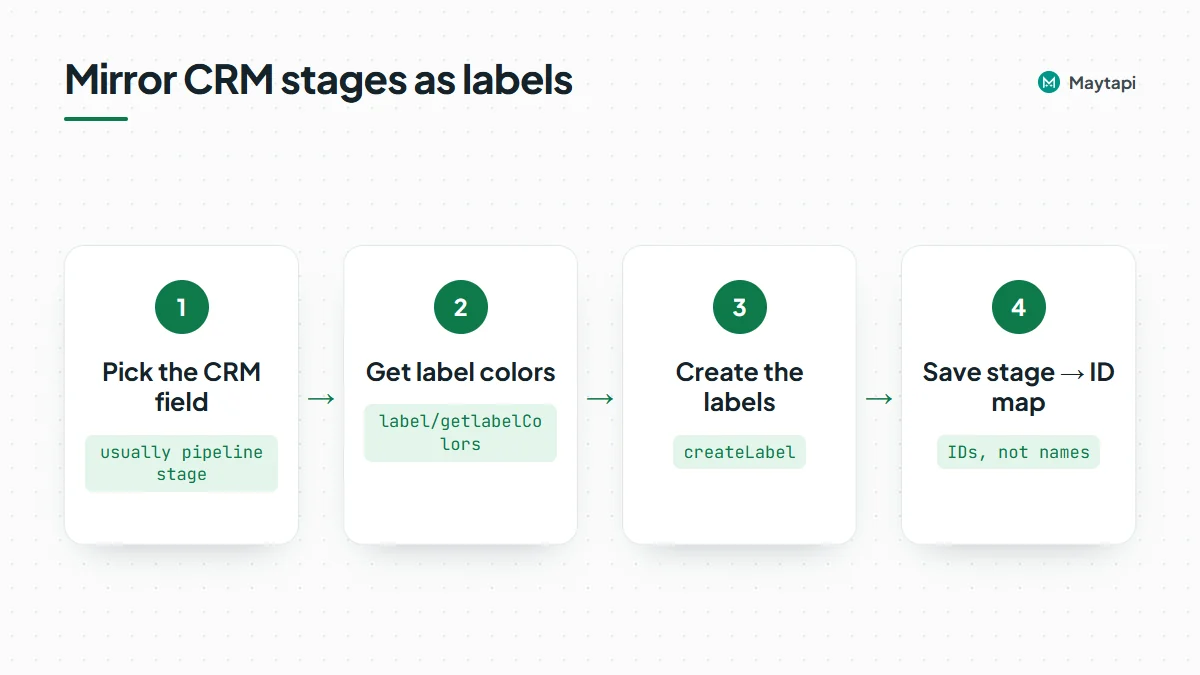
Labels can only use WhatsApp's predefined colors, so fetch the list first:
curl "https://api.maytapi.com/api/$PRODUCT_ID/$PHONE_ID/label/getlabelColors" \
  -H "x-maytapi-key: $TOKEN"
The response is an array of hex codes such as #54C265 and #F0B330. Pass one of them as color when you create a label:
const base = `https://api.maytapi.com/api/${PRODUCT_ID}/${PHONE_ID}`;
const headers = { "x-maytapi-key": TOKEN, "Content-Type": "application/json" };

const stages = [
  { stage: "lead", label_name: "New lead", color: "#54C265" },
  { stage: "quoted", label_name: "Quote sent", color: "#F0B330" },
  { stage: "won", label_name: "Paid", color: "#A62C71" }
];

for (const s of stages) {
  const r = await fetch(`${base}/createLabel`, {
    method: "POST",
    headers,
    body: JSON.stringify({ label_name: s.label_name, color: s.color })
  });
  const { data } = await r.json();
  console.log(s.stage, "->", data.id);
}
Each response includes the label id. Save the mapping between CRM stage and label ID in your config or database; everything else in the sync uses the IDs, not the names. If labels already exist on the phone, GET /getLabels returns them with id, name, colorIndex and a chatCount, so you can map existing ones instead of creating duplicates.
To rename or recolor later, use label/edit with the label_id (send a valid color as well, even if you only rename). label/remove deletes one or more labels permanently (label_ids: ["1", "2"]); the response lists which deletions succeeded and which IDs did not exist.
Assign labels to chats
Labeling a chat takes the label ID and the chat's conversation_id:
async function setLabel(conversationId, labelId, on = true) {
  const r = await fetch(`${base}/${on ? "addLabel" : "removeLabel"}`, {
    method: "POST",
    headers,
    body: JSON.stringify({ label_id: labelId, conversation_id: conversationId })
  });
  return r.json();
}

await setLabel("1415xxxxx67@c.us", "3");
removeLabel only detaches the label from that chat; the label itself stays. A chat can carry several labels, so if your labels represent mutually exclusive stages, remove the previous stage's label when you add the new one.
GET /getLabels/{label_id} lists every chat that carries a label, with id, name and phone. That is your tool for an initial reconciliation: run it once per stage label and compare with the CRM before you switch on live sync.
Receive label webhooks
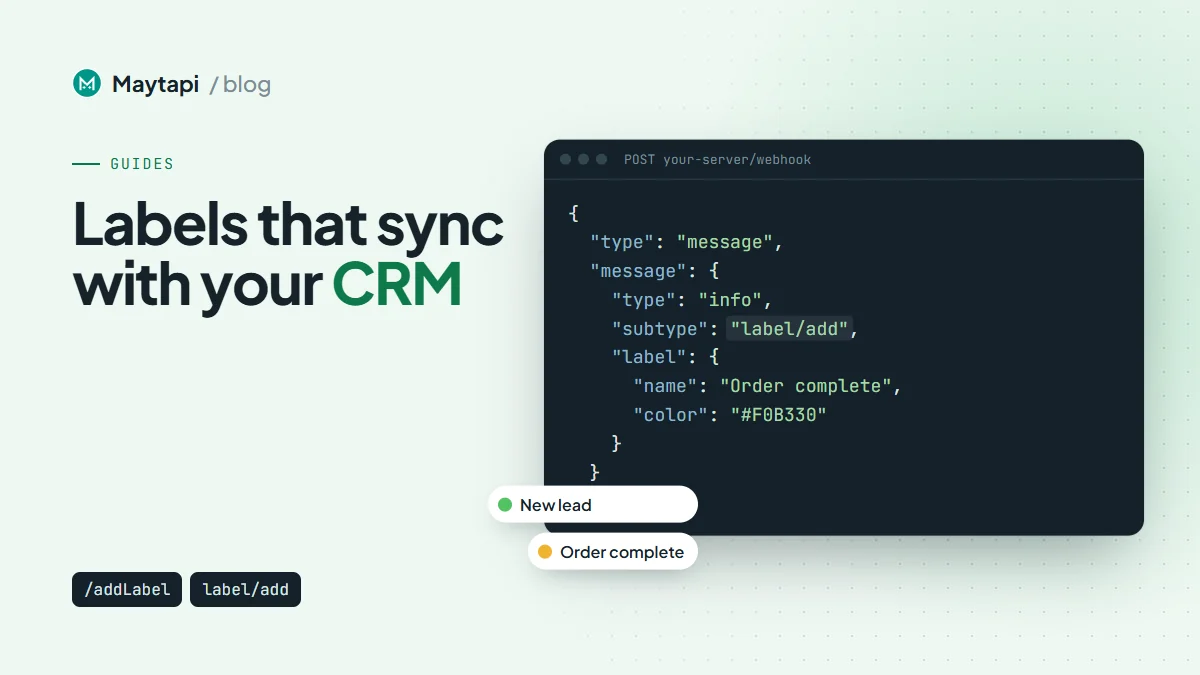
When a label is added to or removed from a chat, Maytapi sends a webhook message. The event has the usual message envelope, with an info message and a label object:
{
  "type": "message",
  "conversation": "1415xxxxx67@c.us",
  "message": {
    "type": "info",
    "subtype": "label/add",
    "fromMe": true,
    "label": { "id": "845838", "name": "Order complete", "color": "#F0B330", "colorIndex": 5 }
  }
}
The payload also includes user, conversation_name, timestamp and the message id, like other webhook messages. See the webhook events guide for the full envelope.
Three details matter for a sync:
fromMeis alwaystrue. Labels belong to the account, so every label change counts as yours. The usual "ignorefromMe" filter in bot handlers would drop every label event; handle labels before that check.- Events fire on real changes only. Adding a label a chat already has, or removing one it doesn't have, produces no event.
- Your own changes can come back. Labels set on the phone are reported, and so can be the ones your sync just set through the API. Treat every event as a possible echo of your own write.
Occasionally conversation can be a privacy ID ending in @lid instead of a phone-number chat ID, when WhatsApp hasn't shared the number. The LID to phone number API resolves those.
Two-way sync between WhatsApp labels and your CRM
The sync has two directions:
- CRM to WhatsApp. When a deal moves to a new stage, call
removeLabelfor the old stage label andaddLabelfor the new one. - WhatsApp to CRM. When a
label/addevent arrives for a stage label, move the contact to that stage in the CRM.
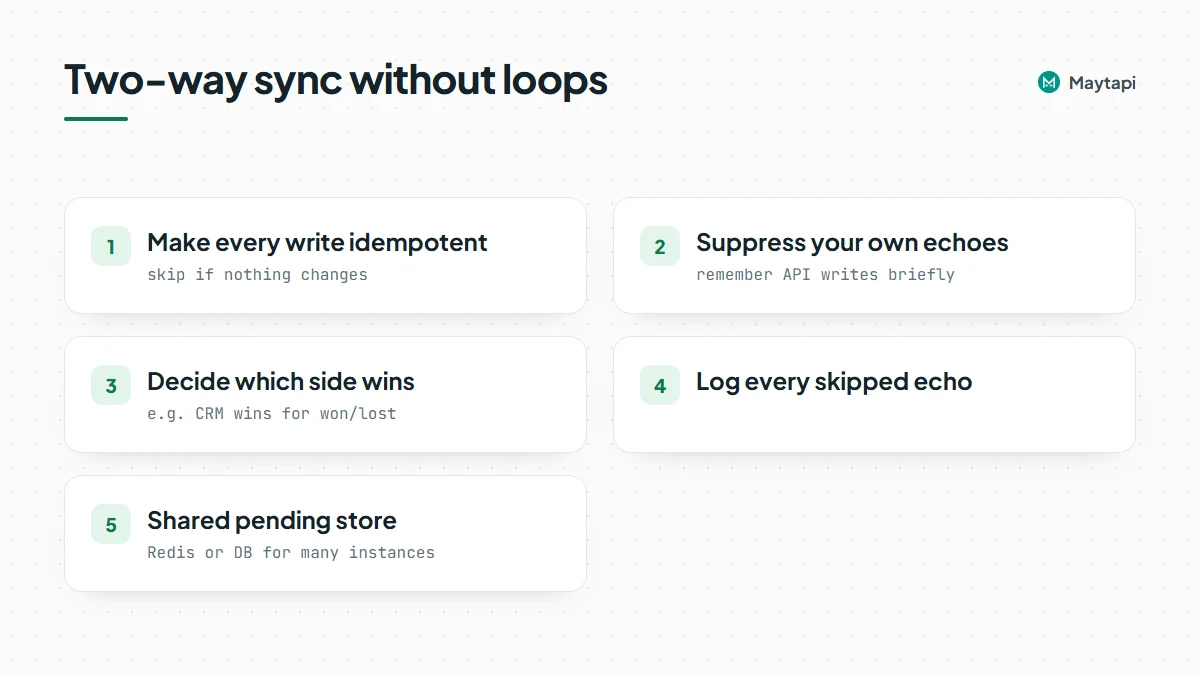
Wired up naively, these two feed each other. The CRM moves a deal, your code adds a label, the webhook reports the label, your handler "updates" the CRM, the CRM fires its stage-change hook, and so on.
Avoid update loops
Two rules break the loop, and you should use both:
Make every write idempotent. Before writing, compare with the current state and skip if nothing changes. If the webhook says "Paid" and the CRM deal is already "won", do nothing. If the CRM says "won" and the chat already has the Paid label, don't call addLabel (and even if you do, WhatsApp emits no event for an unchanged label).
Suppress your own echoes. When your code calls addLabel or removeLabel, remember that change for a short time. When the matching webhook arrives, consume the record and skip the CRM update:
import express from "express";

const pending = new Map(); // key -> expiry timestamp
const key = (conv, labelId, action) => `${conv}|${labelId}|${action}`;

export async function labelFromCrm(conv, labelId, on) {
  pending.set(key(conv, labelId, on ? "add" : "remove"), Date.now() + 60_000);
  await setLabel(conv, labelId, on);
}

const app = express();
app.post("/maytapi/webhook", express.json(), async (req, res) => {
  res.sendStatus(200); // acknowledge first

  const event = req.body;
  const m = event.message;
  if (event.type !== "message" || m?.type !== "info" || !m.subtype?.startsWith("label/")) return;

  const action = m.subtype.split("/")[1]; // "add" or "remove"
  const k = key(event.conversation, m.label.id, action);
  if ((pending.get(k) ?? 0) > Date.now()) {
    pending.delete(k); // our own change coming back
    return;
  }

  const stage = stageForLabel(m.label.id); // your label-id -> stage map
  if (stage && action === "add") await crm.moveIfDifferent(event.conversation, stage);
});

app.listen(3000);
stageForLabel and crm.moveIfDifferent stand for your own mapping and CRM client. Keep the pending store in Redis or your database if you run more than one instance. Decide upfront which side wins in a conflict (for example, the CRM wins for "won" and "lost", WhatsApp wins for early stages), and log every skipped echo while you test.
Note: Label events only reach you if your webhook is set. Configure it once with
setWebhookor in the console, and have your handler return 200 right away, then do the CRM work.
Practical tips
- Map by ID, display by name. Names can be edited on the phone at any time; IDs stay stable.
- Ignore labels you don't sync. Agents may use extra labels for their own purposes. Only act on the IDs in your mapping.
- Run a nightly reconciliation. Webhooks can be missed during downtime. A scheduled job that compares
getLabels/{label_id}with the CRM catches drift. - Combine with a shared inbox. If several people answer the same number, the multi-agent platform runs on the same connection, so your label sync keeps working while agents reply.
- Test on a separate test number first. Two-way sync bugs are easiest to find with a handful of test chats.
Next steps
- Learn the full payloads for messages, acks and info events in the webhook events guide.
- Set up and test your endpoint with the webhook API.
- Check every label endpoint in the API documentation.