Maytapi
A booked slot that nobody shows up for costs a clinic, salon or repair service the full price of that hour. Most no-shows are not bad intent: people forget, or plans change and they don't get round to calling. A WhatsApp reminder the day before, with a one-tap way to confirm, reschedule or cancel, fixes most of that. This guide builds WhatsApp appointment reminders with the Maytapi API: a scheduled job that sends a reminder 24 hours and 2 hours before each booking, a webhook that reads the customer's answer and updates the booking, and a calendar link once the slot is confirmed. The example is in Node.js, with notes on quiet hours, pacing and opt-outs.
Maytapi links your own WhatsApp number as a linked device and drives it over REST, so reminders come from the same number customers already chat with, without message templates or per-message fees. All phone-level endpoints live under https://api.maytapi.com/api/PRODUCT_ID/PHONE_ID/ and take your token in the x-maytapi-key header. If you haven't connected a number yet, start with getting started.
How the reminder flow works
The whole system is two small pieces that share one bookings table:
- A scheduler runs every minute, finds bookings that are due for a reminder and sends one with
POST /sendMessage. - A webhook handler receives the customer's answer, maps it to confirm, reschedule or cancel, updates the booking and replies.
| Moment | What you send | Why |
|---|---|---|
| Booking created | Nothing yet, run checkPhones |
Find out early whether the number is on WhatsApp |
| 24 hours before | List message: Confirm / Reschedule / Cancel | Gives time to refill a cancelled slot |
| Customer confirms | Text with a calendar link | Puts the appointment in their calendar |
| 2 hours before | Short text reminder, pending or confirmed bookings | Catches people who forgot on the day |
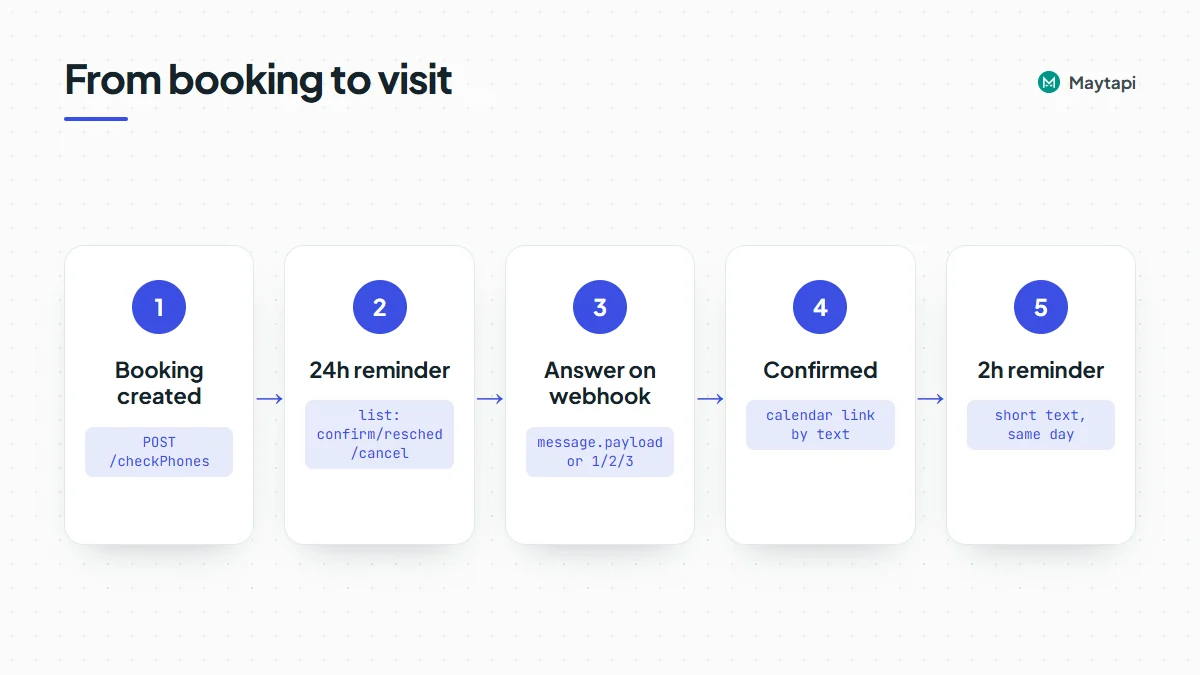
Keep the booking state simple: pending, confirmed, reschedule_requested and cancelled, plus two timestamps (reminded_24h_at, reminded_2h_at) so a reminder is never sent twice.
Check the number when the booking is made
Booking forms collect phone numbers in every possible format, and some customers aren't on WhatsApp at all. Check each new number once with POST /checkPhones, when the booking is created, rather than finding out the night before. The number must be digits only in international format, without + or spaces.
curl -X POST "https://api.maytapi.com/api/$PRODUCT_ID/$PHONE_ID/checkPhones" \
  -H "x-maytapi-key: $TOKEN" \
  -H "Content-Type: application/json" \
  -d '{"numbers": ["1415xxxxx67"]}'
{
  "success": true,
  "data": [
    {
      "status": "valid",
      "valid": true,
      "id": { "server": "c.us", "user": "1415xxxxx67", "_serialized": "1415xxxxx67@c.us" }
    }
  ]
}
Store valid on the booking. If it is false, send that customer's reminders by SMS or email instead. The check sends nothing to the number. For cleaning a whole customer list in batches, see the bulk number check guide.
Send the 24-hour reminder as a list message
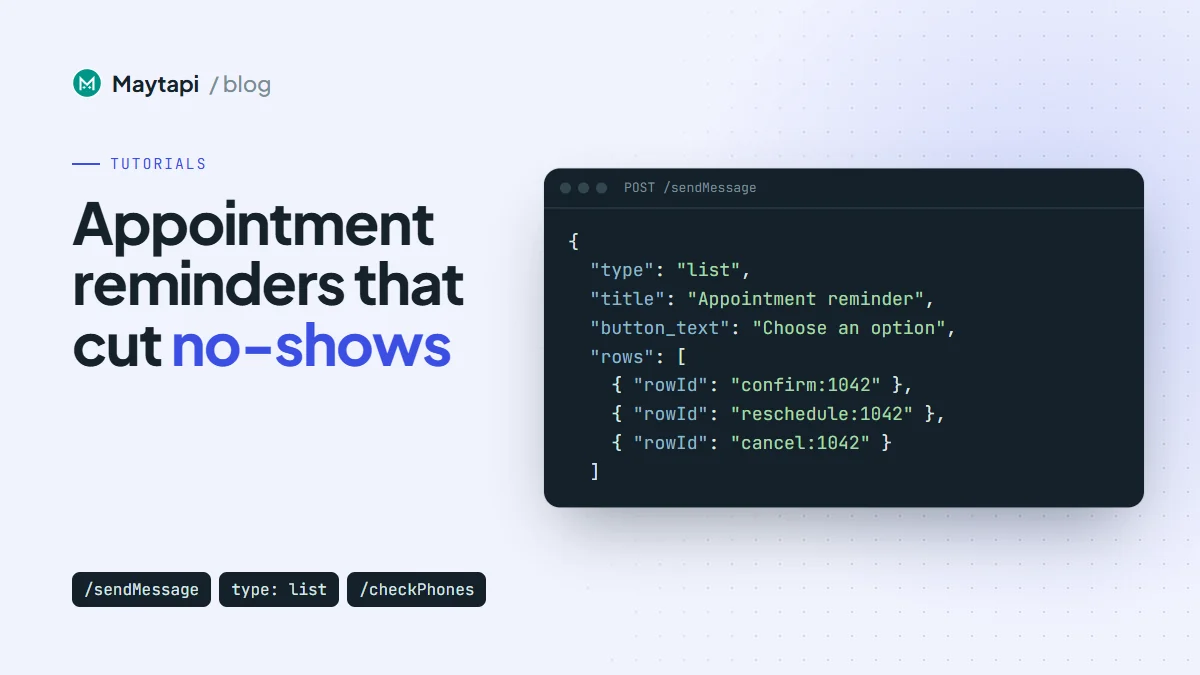
A list message shows your text with one button. Tapping it opens a sheet of rows, and each row has a rowId that comes back to your webhook when the customer picks it. Put the booking id into the rowId so the answer can be matched to the right appointment even if the customer has more than one booking.
curl -X POST "https://api.maytapi.com/api/$PRODUCT_ID/$PHONE_ID/sendMessage" \
  -H "x-maytapi-key: $TOKEN" \
  -H "Content-Type: application/json" \
  -d '{
    "to_number": "1415xxxxx67@c.us",
    "type": "list",
    "title": "Appointment reminder",
    "message": "Hi Ayse, this is Smile Dental. Your check-up is on Thursday at 10:30.\n\nReply 1 to confirm, 2 to reschedule, 3 to cancel.",
    "footer": "Reply STOP to stop reminders",
    "button_text": "Choose an option",
    "sections": [
      {
        "title": "Your appointment",
        "rows": [
          { "rowId": "confirm:1042", "title": "Confirm", "description": "I will be there" },
          { "rowId": "reschedule:1042", "title": "Reschedule", "description": "Pick another time" },
          { "rowId": "cancel:1042", "title": "Cancel", "description": "Free the slot" }
        ]
      }
    ]
  }'
Three details matter here:
- The body works without the list. "Reply 1 to confirm, 2 to reschedule, 3 to cancel" covers customers on older apps, people who just type a reply, and anyone who ignores the button.
- Say who you are in the first line. A reminder from an unknown number reads like spam; the clinic name in the opening sentence doesn't.
- Use a list rather than reply buttons. Reply-button taps don't arrive as webhook events on every connection, while list choices do. The interactive messages guide compares the formats.
The 2-hour reminder can be plain text, sent only to bookings that are confirmed or still pending:
{
  "to_number": "1415xxxxx67@c.us",
  "type": "text",
  "message": "See you at 10:30 today, Ayse. Smile Dental, Bagdat Cd. 120. Reply 3 if you can't make it."
}
Schedule reminders with a simple cron loop
The scheduler below runs as one long-lived Node.js process and wakes up every minute. It picks bookings whose reminder window has started, skips anything already sent, opted out or outside quiet hours, and paces the sends. db stands for your own data layer; the queries are described in comments.
const { PRODUCT_ID, PHONE_ID, TOKEN } = process.env;
const BASE = `https://api.maytapi.com/api/${PRODUCT_ID}/${PHONE_ID}`;
const HEADERS = { "x-maytapi-key": TOKEN, "Content-Type": "application/json" };
const TZ = "Europe/Istanbul";
const SEND_FROM = 9, SEND_UNTIL = 20; // local hours when reminders may go out
const HOUR = 60 * 60 * 1000;
const sleep = (ms) => new Promise((r) => setTimeout(r, ms));
const pace = () => sleep(8000 + Math.random() * 12000); // 8-20 s between sends

async function send(payload) {
  const r = await fetch(`${BASE}/sendMessage`, { method: "POST", headers: HEADERS, body: JSON.stringify(payload) });
  const body = await r.json();
  if (!body.success) throw new Error(body.message);
  return body;
}

const local = (d, opts) => new Intl.DateTimeFormat("en-GB", { timeZone: TZ, ...opts }).format(d);
const localTime = (d) => local(d, { hour: "2-digit", minute: "2-digit" });

function inSendWindow(now) {
  const hour = Number(local(now, { hour: "numeric", hourCycle: "h23" }));
  return SEND_FROM <= hour && hour < SEND_UNTIL;
}

function reminder24h(b) {
  const when = `${local(b.starts_at, { weekday: "long" })} at ${localTime(b.starts_at)}`;
  const rows = [
    { rowId: `confirm:${b.id}`, title: "Confirm", description: "I will be there" },
    { rowId: `reschedule:${b.id}`, title: "Reschedule", description: "Pick another time" },
    { rowId: `cancel:${b.id}`, title: "Cancel", description: "Free the slot" }
  ];
  return {
    to_number: `${b.phone}@c.us`,
    type: "list",
    title: "Appointment reminder",
    message: `Hi ${b.first_name}, this is Smile Dental. Your ${b.service} is on ${when}.\n\n` +
      "Reply 1 to confirm, 2 to reschedule, 3 to cancel.",
    footer: "Reply STOP to stop reminders",
    button_text: "Choose an option",
    sections: [{ title: "Your appointment", rows }]
  };
}

async function tick() {
  const now = new Date();
  if (!inSendWindow(now)) return;
  // bookings starting 6-26 h from now, wa_valid, not opted out,
  // status pending, reminded_24h_at IS NULL (closer bookings only get the 2 h text)
  for (const b of await db.due24h(new Date(+now + 6 * HOUR), new Date(+now + 26 * HOUR))) {
    await send(reminder24h(b));
    await db.mark(b.id, { reminded_24h_at: now });
    await pace();
  }
  // bookings starting within the next 2 h, status pending or confirmed,
  // reminded_2h_at IS NULL
  for (const b of await db.due2h(now, new Date(+now + 2 * HOUR))) {
    await send({ to_number: `${b.phone}@c.us`, type: "text",
      message: `See you at ${localTime(b.starts_at)} today, ${b.first_name}. Reply 3 if you can't make it.` });
    await db.mark(b.id, { reminded_2h_at: now });
    await pace();
  }
}

while (true) {
  try {
    await tick();
  } catch (err) {
    console.error("reminder tick failed:", err.message);
  }
  await sleep(60 * 1000);
}
A few choices in this loop are deliberate. The 24-hour window is wide (6 to 26 hours) so that a booking whose ideal reminder time falls at night still gets one the evening before or the next morning. It stops six hours out so a booking made on the day doesn't get the list and then, minutes later, the 2-hour text. The 2-hour reminder is simply not sent if it falls inside quiet hours; an 8:00 appointment is covered by the reminder from the day before. And each booking is marked as soon as its message is accepted, so a crash or restart never sends the same reminder twice.
If you'd rather use system cron, run tick() from a script every minute instead of the while loop. Just make sure two runs can't overlap, for example with a lock file or a database lock.
Handle replies on the webhook
When a customer picks a list row, it reaches your webhook as an ordinary incoming message event with message.type set to text. message.text holds the row title they saw ("Confirm") and message.payload holds your rowId ("confirm:1042"). A typed "1" arrives the same way, without a payload. That makes one handler enough for both:
{
  "product_id": "PRODUCT_ID",
  "phone_id": 12345,
  "type": "message",
  "user": { "id": "1415xxxxx67@c.us", "name": "Ayse", "phone": "1415xxxxx67" },
  "conversation": "1415xxxxx67@c.us",
  "message": {
    "type": "text",
    "text": "Confirm",
    "payload": "confirm:1042",
    "fromMe": false
  }
}
The Express handler acknowledges first, ignores your own messages, and resolves the action from the payload when present, otherwise from the typed text:
import express from "express";

const app = express();
const TYPED = { "1": "confirm", "2": "reschedule", "3": "cancel",
  confirm: "confirm", reschedule: "reschedule", cancel: "cancel" };
const STOP_WORDS = new Set(["stop", "unsubscribe"]);

app.post("/maytapi/webhook", express.json(), async (req, res) => {
  res.sendStatus(200); // acknowledge first
  const event = req.body;
  const msg = event.message || {};
  if (event.type !== "message" || msg.fromMe || msg.type !== "text") return;

  const phone = (event.user || {}).phone;
  const chat = event.conversation;
  const text = (msg.text || "").trim().toLowerCase();

  if (STOP_WORDS.has(text)) {
    await db.optOut(phone);
    await send({ to_number: chat, type: "text",
      message: "Done, you won't get appointment reminders from us anymore." });
    return;
  }

  let action = null, booking = null;
  if (msg.payload && msg.payload.includes(":")) {
    const i = msg.payload.indexOf(":");
    action = msg.payload.slice(0, i);
    booking = await db.get(msg.payload.slice(i + 1));
  } else if (Object.hasOwn(TYPED, text)) {
    action = TYPED[text];
    booking = await db.nextUpcomingForPhone(phone);
  }

  if (!booking || booking.phone !== phone || !["confirm", "reschedule", "cancel"].includes(action)) {
    return; // not a reminder answer: leave it for staff
  }
  await handleAction(booking, action, chat);
});

app.listen(3000);
The booking.phone != phone check stops a forwarded or guessed rowId from changing someone else's appointment. Typed answers are matched to the customer's next upcoming booking, which is right in nearly every case. Anything the handler doesn't understand is left alone so a person can answer it.
In some chats WhatsApp identifies people by a LID instead of a phone number. If user.phone doesn't match your booking records, the LID to phone number guide shows how to resolve it.
Update the booking and send a calendar link
Each action updates the booking and sends one short answer. On confirm, include an "add to calendar" link. Google Calendar accepts a plain URL with the event details in the query string, so no calendar API access is needed:
function calendarLink(b) {
  const fmt = (d) => d.toISOString().replace(/[-:]/g, "").replace(/\.\d{3}/, ""); // 20261029T070000Z
  const end = new Date(+b.starts_at + b.duration_min * 60 * 1000);
  return "https://calendar.google.com/calendar/render?" + new URLSearchParams({
    action: "TEMPLATE",
    text: `${b.service} at Smile Dental`,
    dates: `${fmt(b.starts_at)}/${fmt(end)}`,
    location: "Bagdat Cd. 120, Istanbul",
    details: `Booking #${b.id}. Reply 3 on WhatsApp to cancel.`
  });
}

async function handleAction(b, action, chat) {
  let message;
  if (action === "confirm") {
    await db.update(b.id, { status: "confirmed" });
    message = `Thanks, you're confirmed. Add it to your calendar: ${calendarLink(b)}`;
  } else if (action === "reschedule") {
    await db.update(b.id, { status: "reschedule_requested" });
    message = `No problem. Pick a new time here: https://example.com/book?ref=${b.id}`;
  } else {
    await db.update(b.id, { status: "cancelled" });
    await db.offerSlotToWaitlist(b);
    message = "Your appointment is cancelled. Book again any time on this chat.";
  }
  await send({ to_number: chat, type: "text", message });
}
For rescheduling, a booking page link is the simplest option. If you want to keep it inside WhatsApp, send a second list whose rows are free slots, with ids like slot:1042:2026-10-30T14:00, and handle them in the same webhook. A cancelled slot is the best moment to message your waitlist, which is often where the real savings come from.
Quiet hours, pacing and opt-outs
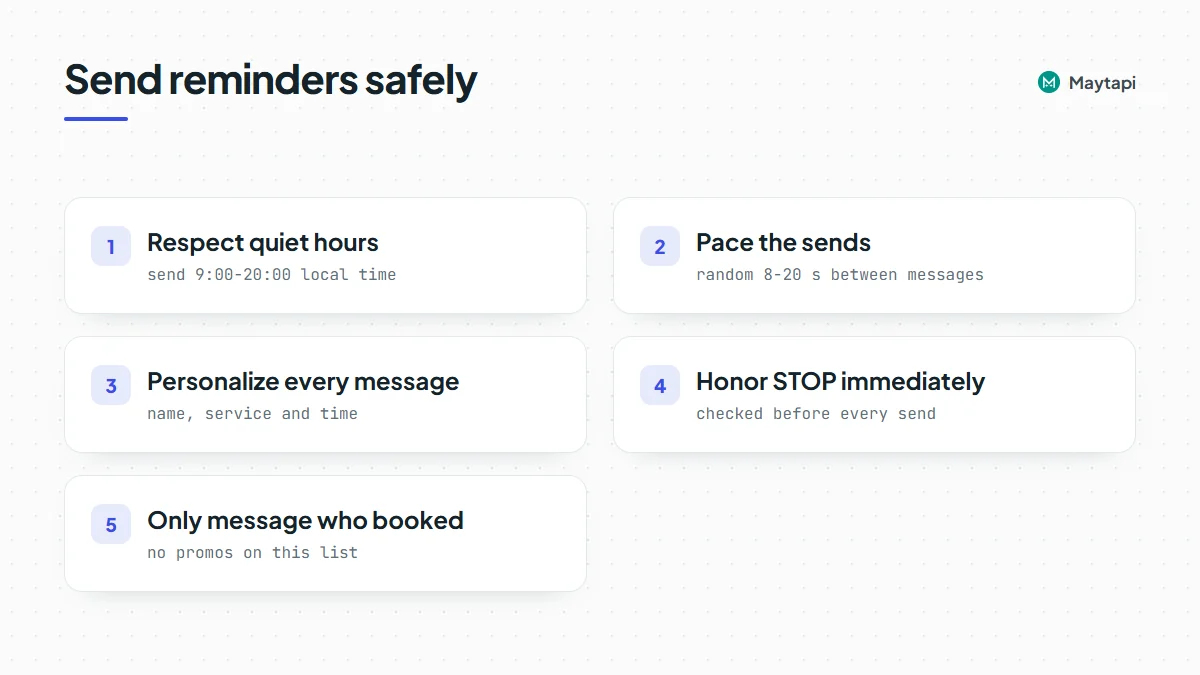
Reminders are messages people expect, which is why they are among the safest things to automate on WhatsApp. They can still go wrong if the sending looks like a blast. Maytapi is an unofficial API, so the reminders go out from a normal WhatsApp account and WhatsApp's terms and anti-spam limits apply to that number. Ask for consent to WhatsApp reminders when the booking is made, and keep health details such as diagnoses or treatment names out of the message text. A few rules keep them friendly:
- Respect quiet hours in the customer's time zone. The loop above only sends between 9:00 and 20:00 local time. If you serve several regions, store a time zone per booking.
- Pace the sends. A clinic with 80 appointments tomorrow shouldn't push 80 lists in one second. A random 8 to 20 second gap spreads them over about 20 minutes, which is fine for a reminder.
- Personalize every message. The name, service and time make each text different. The API also has a duplicate filter that drops the same content sent to the same chat in a short window, which protects you from loops in your own code.
- Honor STOP immediately. The handler stores the opt-out and the scheduler checks it before every send. Keep the footer line so the option is always visible.
- Only message people who booked. Reminders work because the customer gave you the number for this purpose. Don't reuse the list for promotions without asking.
The ban prevention and Safe Mode guide covers warm-up and limits if the number is new.
Practical tips
- Track the outcome. Log confirm, reschedule, cancel and no answer per booking. After a few weeks you'll know whether the 2-hour reminder pays for itself or only the 24-hour one matters.
- Call the unconfirmed. A booking still
pendinga few hours before is your highest no-show risk. Put those on the front desk's call list. - Keep the webhook fast. Return 200 first, then do the database work, as in the webhook guide.
- Test on your own number. Book a fake appointment for yourself, shift
starts_atto 25 hours ahead and watch the full cycle before going live.
Next steps
- Learn the request formats for text, media and interactive messages in the send message guide.
- Compare list messages, buttons and carousels in the interactive messages guide.
- See the full webhook payloads for messages and receipts in the webhook events guide.
- Turn the reply handler into a full assistant with Build a WhatsApp Bot with Node.js.
- Check every parameter of
sendMessageandcheckPhonesin the API documentation.