Maytapi
Customers don't only type. They send a photo of a damaged parcel, a PDF invoice, a voice note explaining the problem, a short video of a machine that won't start. If your system only reads message.text, all of that is lost. This guide shows what a WhatsApp media message looks like on your Maytapi webhook, where the file actually lives, how to download it reliably (as soon as the webhook arrives, since media links are not a long-term archive) and store it on disk or S3, what changes for very large files and voice notes, and how to send files back with POST /sendMessage.
What a media message looks like on your webhook
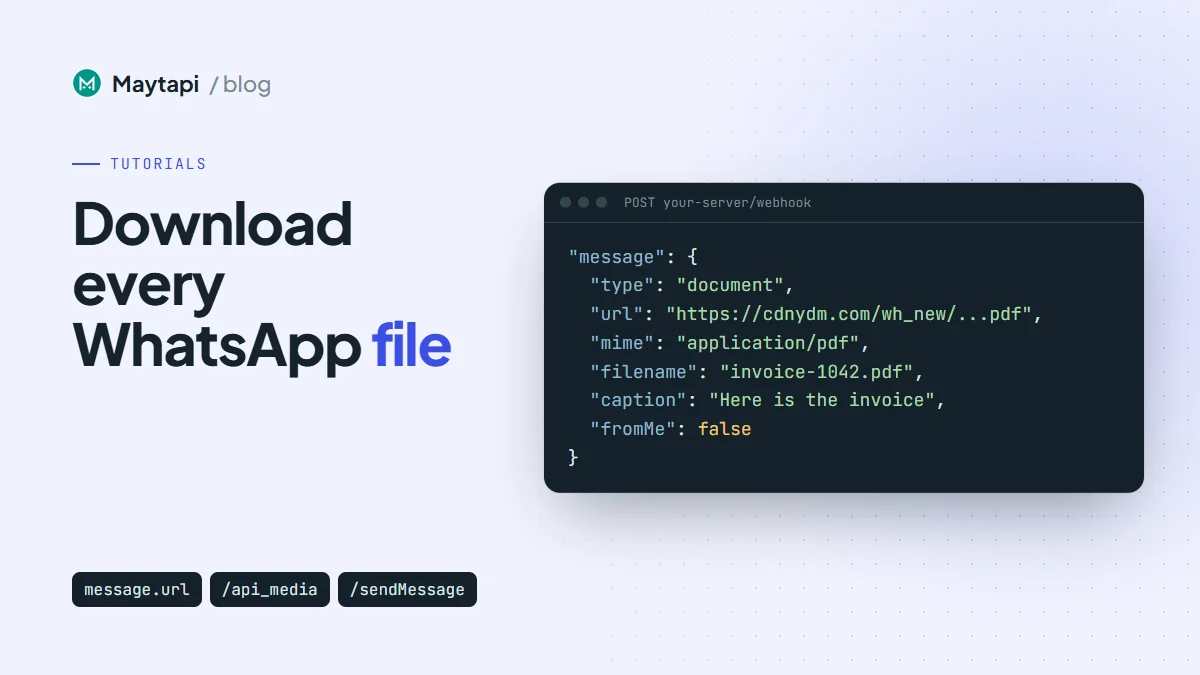
Incoming files arrive as a normal message event, the same one described in the webhook guide. The difference is inside message: its type is a media type, and instead of text you get a link to the file.
{
  "type": "message",
  "product_id": "1a2b3c4d-...",
  "phone_id": 12345,
  "user": { "id": "1415xxxxx67@c.us", "name": "Ayse", "phone": "1415xxxxx67" },
  "message": {
    "type": "document",
    "url": "https://cdnydm.com/wh_new/Xq3kP9vB2mT7wLs1aZ8eRf.pdf",
    "mime": "application/pdf",
    "filename": "invoice-1042.pdf",
    "caption": "Here is the invoice",
    "id": "false_1415xxxxx67@c.us_3EB0C4A1F2D9E8B7A6C5",
    "_serialized": "false_1415xxxxx67@c.us_3EB0C4A1F2D9E8B7A6C5",
    "fromMe": false
  },
  "conversation": "1415xxxxx67@c.us",
  "receiver": "1415xxxxx21",
  "timestamp": 1761552000,
  "reply": "https://api.maytapi.com/api/1a2b3c4d-.../12345/sendMessage"
}
These are the media types you can receive and the fields that come with them:
message.type |
What it is | Notes |
|---|---|---|
image |
Photo | filename is generated from the message id |
video |
Video clip | |
gif |
Video sent as a looping GIF | Arrives as an MP4 |
ptv |
Round video note | |
document |
Any file sent as a document | filename is the name the sender used |
ptt |
Voice note recorded in WhatsApp | Usually audio/ogg; codecs=opus |
audio |
Audio file sent as a file | |
sticker |
Sticker | WebP |
Every one of them carries url, mime and filename. Images, videos and documents can also have a caption, which is an empty string when the sender didn't write one. A few things are not in the payload: there is no file size field, and voice note duration (seconds) is only included on some connections. If you need the size, read the Content-Length header when you download.
message.fromMe is true for files sent from your own number, including files you sent through the API. Skip those unless you want to archive both sides of the chat.
One edge case: on some connections, a photo, video or document whose caption contains a chat.whatsapp.com group invite link arrives with type: "group_invite" instead, with inviteCode and inviteLink added next to the usual media fields. If you archive every file, check for a url rather than only for the media types above.
Where the file lives
You never have to deal with WhatsApp's encrypted media servers. Before the webhook is sent, Maytapi downloads the file from WhatsApp, decrypts it and uploads it to its own media storage. message.url points to that copy, normally on cdnydm.com (sometimes cdn.maytapi.com). Storage is keyed by the file's content hash, so the same file sent twice usually gets the same URL.
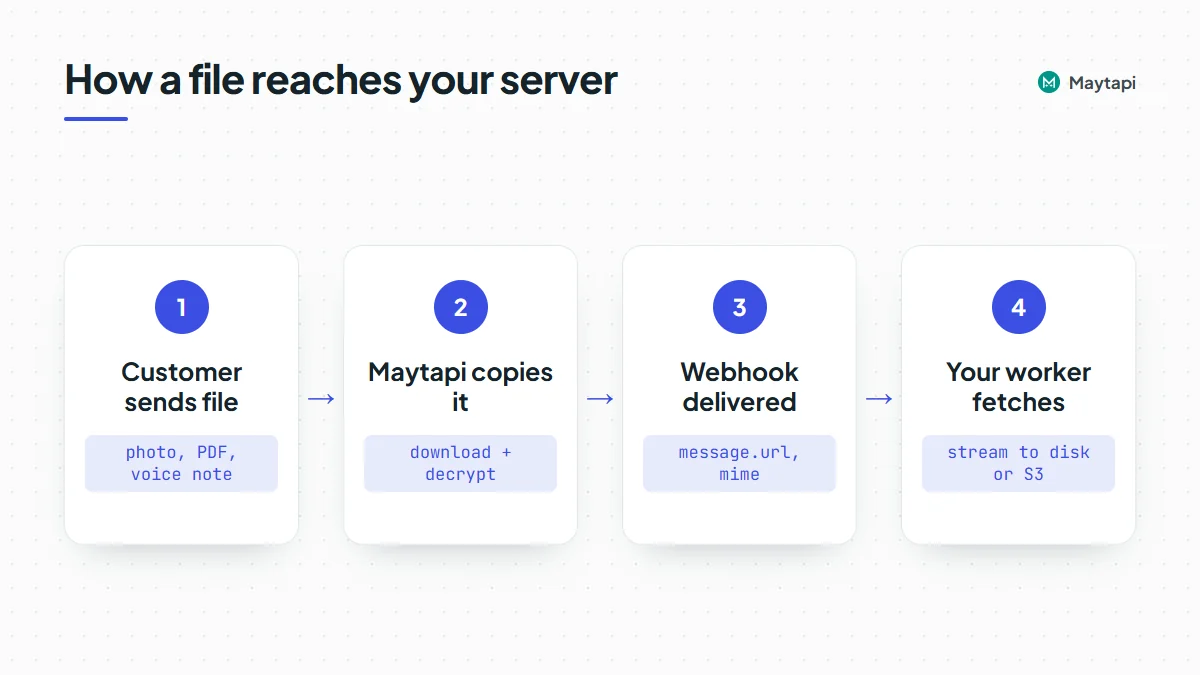
Three practical consequences:
- The webhook waits for the copy. A small image arrives almost immediately. A 100 MB video has to be downloaded and uploaded first, so its webhook comes later than a text sent at the same moment. Don't assume your events arrive in the order they were sent.
- The URL is a plain public link. No
x-maytapi-keyis needed to fetch it, and anyone who has the link can open it. Don't paste it into places customers or third parties can see, and treat the files themselves as personal data. - Retention isn't something to build on. There is no documented guarantee of how long a media link stays available. Download the file as soon as the webhook arrives and keep your own copy. Store the Maytapi URL only as a reference.
Executable script files (JavaScript) are never copied to storage. Depending on the connection, such a message arrives without a usable file or not at all.
When the URL looks like /api_media/
Sometimes message.url has a different shape: https://cdnydm.com/api_media/.... You get this when the file couldn't be copied before the webhook went out, for example because the download from WhatsApp timed out or the file is too large.
This link is an on-demand fallback. When you request it, Maytapi asks your connected phone for the message again, copies the file, and answers with a redirect to the stored file. If that works once, later requests redirect straight away. If it doesn't, you get an HTTP 500 with a JSON body:
{ "success": false, "message": "Could not crawl image! Please try again later." }
The phone has to be connected for this to work. If the instance is idle, disabled or still loading, the message says so (for example Instance is idle). Treat a 500 here as "try again later", with a few retries spaced minutes apart.
Very large files
WhatsApp lets people send documents far bigger than most systems want to handle. Maytapi copies incoming media up to 180 MB. Above that the file is not uploaded, the webhook is still delivered, and message.url is the /api_media/ fallback, which will keep failing for that file because it can't be stored either. For anything that big, ask the sender to share it another way or open it on the phone itself. Your code should log the message id and move on instead of retrying forever.
Download and store the file
The pattern that holds up is: acknowledge the webhook immediately, put the media message in a queue, and let a worker download it. Downloads of large videos take seconds, and a webhook handler should never wait for them.
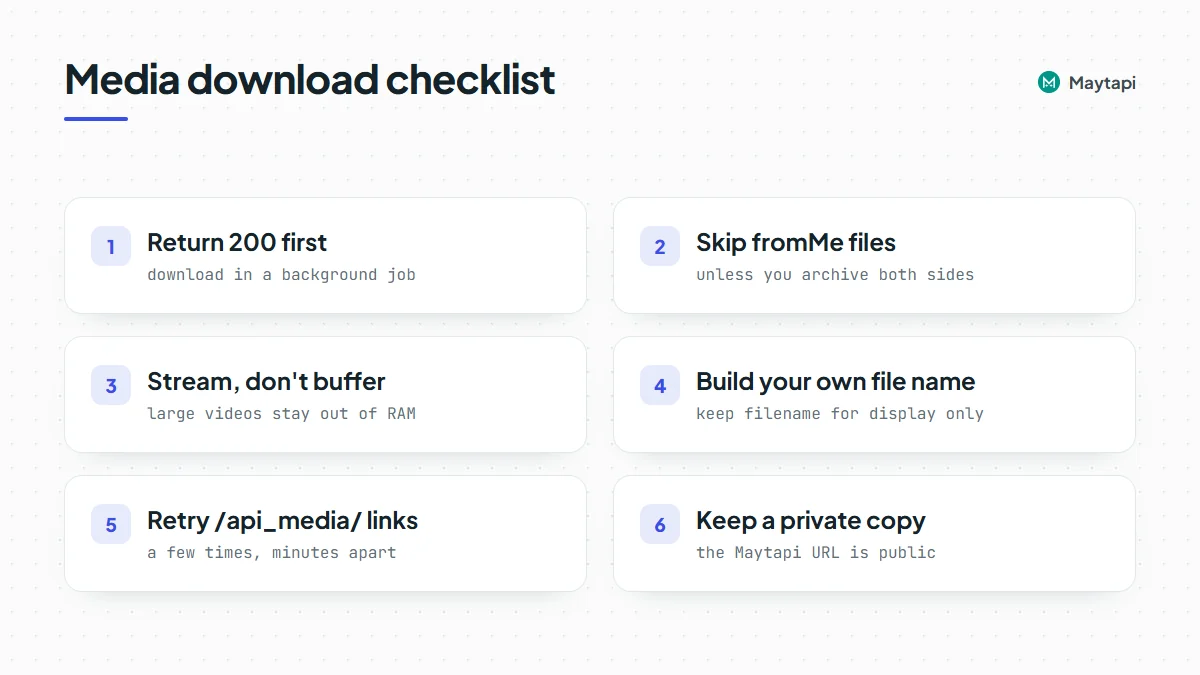
Here is a Node.js version (Node 18 or newer, so fetch is built in). It writes files to disk; the S3 variant follows.
import express from "express";
import fs from "node:fs";
import path from "node:path";
import { Readable } from "node:stream";
import { pipeline } from "node:stream/promises";

const MEDIA_TYPES = ["image", "video", "gif", "ptv", "document", "ptt", "audio", "sticker"];
const STORAGE_DIR = "./media";
const queue = [];

const app = express();
app.use(express.json({ limit: "2mb" }));

app.post("/webhook", (req, res) => {
  res.sendStatus(200); // acknowledge first
  const body = req.body;
  if (body.type !== "message") return;
  const msg = body.message || {};
  if (msg.fromMe || !msg.url) return;
  if (!MEDIA_TYPES.includes(msg.type) && msg.type !== "group_invite") return;
  queue.push({ body, attempts: 0 });
});

function safeName(msg) {
  const ext = path.extname(msg.filename || "").replace(/[^.a-zA-Z0-9]/g, "");
  const id = msg.id.replace(/[^a-zA-Z0-9]/g, "_").slice(-40);
  return `${Date.now()}_${id}${ext}`;
}

const MEDIA_HOSTS = ["cdnydm.com", "cdn.maytapi.com"];
const MAX_BYTES = 200 * 1024 * 1024;

async function download(job) {
  const msg = job.body.message;
  const u = new URL(msg.url);
  // the webhook is a public URL: only fetch Maytapi's media hosts, never arbitrary addresses
  if (u.protocol !== "https:" || !MEDIA_HOSTS.includes(u.hostname)) throw new Error(`unexpected media host ${u.hostname}`);
  const r = await fetch(u, { redirect: "follow", signal: AbortSignal.timeout(120000) });
  if (!r.ok) throw new Error(`HTTP ${r.status}`);
  if (Number(r.headers.get("content-length")) > MAX_BYTES) throw new Error("file too large");
  const file = path.join(STORAGE_DIR, safeName(msg));
  await pipeline(Readable.fromWeb(r.body), fs.createWriteStream(file));
  return {
    file,
    size: Number(r.headers.get("content-length")) || null,
    mime: msg.mime,
    originalName: msg.filename,
    caption: msg.caption || "",
    from: job.body.user && job.body.user.phone,
    chat: job.body.conversation
  };
}

async function worker() {
  const job = queue.shift();
  if (!job) return setTimeout(worker, 1000);
  try {
    const saved = await download(job);
    console.log("saved", saved); // insert into your database here
  } catch (err) {
    job.attempts += 1;
    if (job.attempts < 5) {
      setTimeout(() => queue.push(job), job.attempts * 60 * 1000);
    } else {
      console.warn("giving up on", job.body.message.id, err.message);
    }
  }
  setImmediate(worker);
}

fs.mkdirSync(STORAGE_DIR, { recursive: true });
worker();
app.listen(3000);
A few choices in there are deliberate:
- Streaming, not buffering.
pipelinewrites the response to disk as it arrives, so a 150 MB video doesn't sit in memory. - Your own file name.
filenameon a document is whatever the sender typed. Never use it as a path. Keep it in your database asoriginalNamefor display and build the stored name from the message id. - Redirects followed. The
/api_media/fallback answers with a redirect, andfetchfollows it by default. A 500 from that link is retried a few minutes later. - An in-memory queue is only a sketch. In production, use something that survives restarts (Redis, SQS, a database table), and make the job idempotent by message id, since webhooks can arrive more than once.
Store to S3 instead of disk
To keep files in S3 (or any S3-compatible storage), swap the disk write for a streaming upload with the AWS SDK v3:
import { S3Client } from "@aws-sdk/client-s3";
import { Upload } from "@aws-sdk/lib-storage";

const s3 = new S3Client({ region: "eu-central-1" });

async function toS3(msg, response) {
  const key = `whatsapp/${new Date().toISOString().slice(0, 10)}/${safeName(msg)}`;
  await new Upload({
    client: s3,
    params: {
      Bucket: "my-whatsapp-media",
      Key: key,
      Body: Readable.fromWeb(response.body),
      ContentType: msg.mime || "application/octet-stream"
    }
  }).done();
  return key;
}
Keep the bucket private and hand out short-lived signed URLs to your own users. That fixes the public-link concern above: once your copy is stored, nothing in your system needs to point at the Maytapi URL.
Voice notes
A voice note recorded in WhatsApp arrives as ptt. An audio file the sender attached from their phone (an MP3, for example) arrives as audio. Both are downloaded the same way. WhatsApp's own voice notes are OGG files with the Opus codec, which most speech-to-text services accept directly, so you can pass the downloaded file to your transcription provider without converting it.
If you reply in a chat where the customer prefers voice, type: "audio" sends a file as a voice note. OGG/Opus is the safest format there as well. See the voice notes section of the send message guide.
Send files back
Every outgoing file goes through POST /sendMessage with type: "media". Put a public URL in message and an optional caption in text. For documents, add filename so the recipient sees a proper name instead of a random one:
curl -X POST "https://api.maytapi.com/api/$PRODUCT_ID/$PHONE_ID/sendMessage" \
  -H "x-maytapi-key: $TOKEN" \
  -H "Content-Type: application/json" \
  -d '{
    "to_number": "1415xxxxx67",
    "type": "media",
    "message": "https://example.com/files/receipt-1042.pdf",
    "filename": "receipt-1042.pdf",
    "text": "Your receipt for order #1042"
  }'
If the file only exists on your server, send it as a base64 data URI instead of a URL. Maytapi uploads it first, sends it, and returns the hosted address as data.media_url in the response, so you can reuse that URL for the next recipient instead of uploading the same file again:
const data = fs.readFileSync("./label-1042.png").toString("base64");

const r = await fetch(`https://api.maytapi.com/api/${PRODUCT_ID}/${PHONE_ID}/sendMessage`, {
  method: "POST",
  headers: { "x-maytapi-key": TOKEN, "Content-Type": "application/json" },
  body: JSON.stringify({
    to_number: "1415xxxxx67",
    type: "media",
    message: `data:image/png;base64,${data}`,
    text: "Your shipping label"
  })
});
const res = await r.json();
console.log(res.success, res.data && res.data.msgId, res.data && res.data.media_url);
The file type is taken from the file itself, so a .jpg arrives as a photo, an .mp4 as a video and a .pdf as a document. Sending to a group works the same way with a group id such as 120363012345678901@g.us in to_number. To pass along a file a customer sent you without downloading it, use type: "forward" with the message id, as covered in the send message guide.
Next steps
Media handling comes down to a short loop: read message.url from the webhook, acknowledge fast, download in a worker, keep your own copy, and retry the /api_media/ fallback a few times before giving up.
- See every event type your endpoint can receive in the webhook events guide.
- Send images, documents, voice notes and stickers with the send message guide.
- Put the download step into a full bot with build a WhatsApp bot in Node.js.
- Pass incoming files and voice notes to an AI agent with WhatsApp AI agent with n8n and Claude.
- Check every parameter in the API documentation.