Maytapi
A customer's WhatsApp photo is often the fastest way for an agent to recognise who they are talking to, and a CRM card with a face on it simply reads better than one with initials. Maytapi exposes WhatsApp profile pictures over REST: you can fetch the picture of a contact or a group, and you can change or remove the picture of your own number and of groups you manage. This guide covers the WhatsApp profile picture API endpoints, what they actually return, where WhatsApp's privacy settings stop you, and how to download the images and keep them in sync with a CRM.
The profile picture endpoints at a glance
| Task | Endpoint | Body or parameter |
|---|---|---|
| Get a contact's or group's picture | GET /getProfileImage |
number query parameter |
| Set your own picture | POST /setProfileImage |
image (image URL) |
| Remove your own picture | POST /deleteProfileImage |
none |
| Set a group's picture | POST /group/setProfileImage |
conversation_id, image |
| Remove a group's picture | POST /group/deleteProfileImage |
conversation_id |
All of them live under https://api.maytapi.com/api/PRODUCT_ID/PHONE_ID/ and send your token in the x-maytapi-key header. The phone in the path is the WhatsApp number that does the looking up, so what you can see is what that number could see in the WhatsApp app.
Get a contact's profile picture
getProfileImage takes a single query parameter, number. Send the phone number with the country code and no spaces or symbols:
curl "https://api.maytapi.com/api/$PRODUCT_ID/$PHONE_ID/getProfileImage?number=1415xxxxx67" \
  -H "x-maytapi-key: $TOKEN"
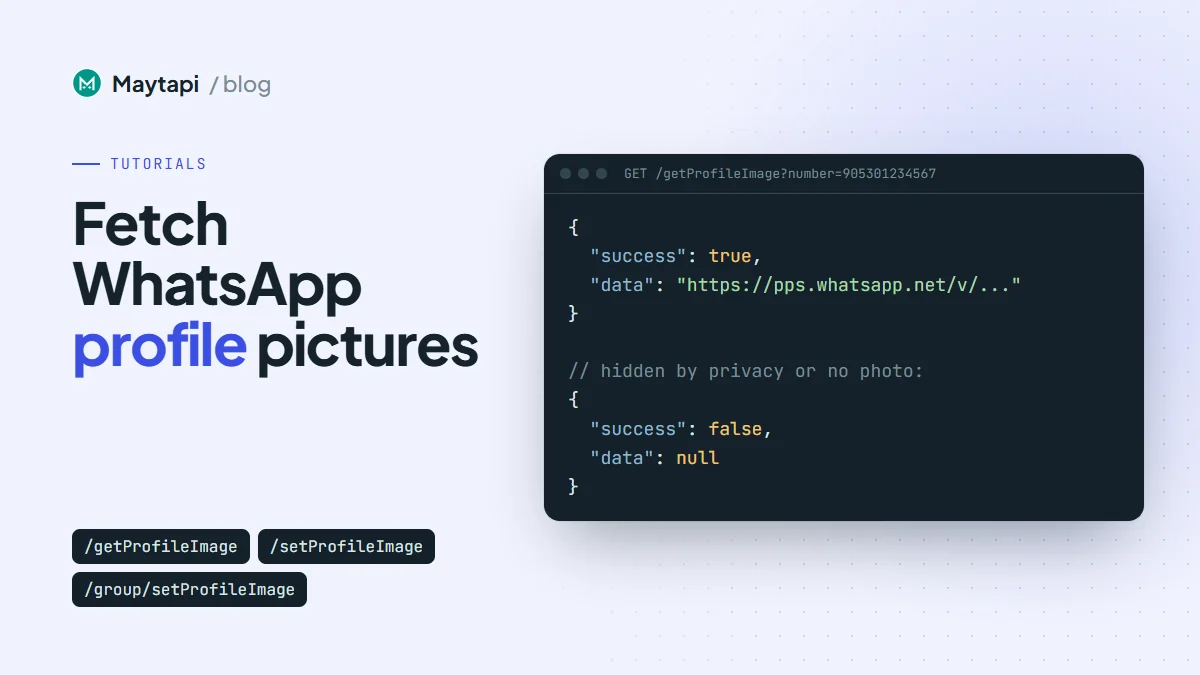
When the picture is visible, data is a plain string, the URL of the image on WhatsApp's servers:
{
  "success": true,
  "data": "https://pps.whatsapp.net/v/..."
}
A few details about the number parameter, taken from how the endpoint normalises it:
- A leading
+is stripped, so+1415xxxxx67works too. - A value without
@is treated as a contact and becomes1415xxxxx67@c.us. - A value that already contains
@is used as is, so you can pass a chat id straight from a webhook payload. - A value without
@that contains a-is treated as a group id (the older1415xxxxx67-1574072436format) and gets@g.usappended. Newer group ids are digits only, like120363012345678901, so always pass them with@g.us; without it they are treated as a phone number.
If number is missing, the response is {"success": false, "message": "Number required"}.
Get a group's picture
The same endpoint works for groups. Pass the group id:
curl "https://api.maytapi.com/api/$PRODUCT_ID/$PHONE_ID/getProfileImage?number=1415xxxxx67-1574072436@g.us" \
  -H "x-maytapi-key: $TOKEN"
If you already call GET /getGroups/{conversation_id} to read group details, you don't need a second request: the group object it returns includes an image field with the picture URL when the group has one. See how to create a WhatsApp group with the API for the rest of that object.
When there is no picture: privacy and empty results
WhatsApp only hands out a profile photo when the person's privacy settings allow your number to see it. If a contact set "Profile photo" to "My contacts" and your number isn't in their contacts, or to "Nobody", you get nothing back. The same happens when the contact simply has no photo, or the number isn't on WhatsApp.
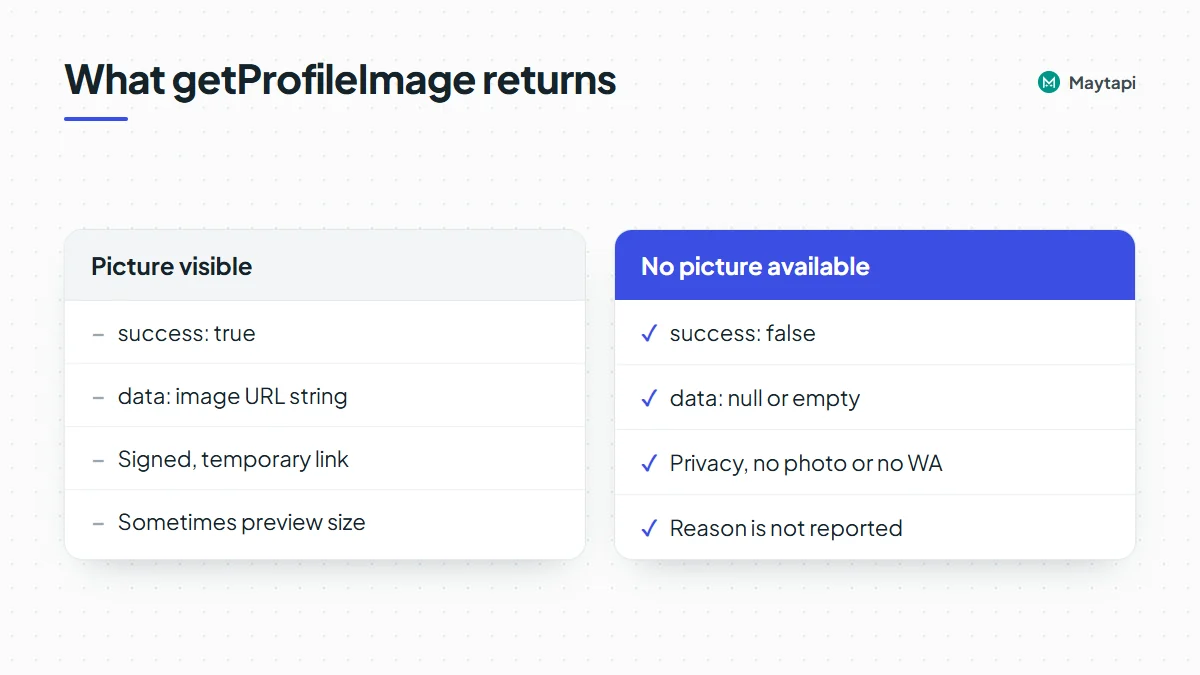
In all of those cases the response has success: false, and data is empty (null or an empty string):
{
  "success": false,
  "data": null
}
There is no field that tells you why. A hidden photo, a missing photo and an unknown number look the same, because WhatsApp itself doesn't tell the linked device the difference. Treat success: false as "no picture available right now", not as an error worth retrying in a loop. If you also need to know whether the number is on WhatsApp at all, check it first with the bulk number check.
Two more things to plan for:
- Lookups can be slow. When WhatsApp doesn't answer, the request waits several seconds before returning an empty result. Use a client timeout of around 20 seconds and don't fire hundreds of lookups in parallel.
- Resolution can vary. In some cases the returned URL points to WhatsApp's smaller preview version of the photo rather than the full-size image. Fine for an avatar, not for printing.
Download and store the image
The URL from getProfileImage points to WhatsApp's own image servers. These are signed, temporary links: they work for a while and then stop. Saving the URL in your CRM and rendering it later leads to broken images a few days on. Download the file when you get the URL and store the bytes yourself.
const base = `https://api.maytapi.com/api/${PRODUCT_ID}/${PHONE_ID}`;
const headers = { "x-maytapi-key": TOKEN };

async function fetchAvatar(number) {
  const r = await fetch(`${base}/getProfileImage?number=${encodeURIComponent(number)}`, {
    headers,
    signal: AbortSignal.timeout(20000)
  });
  const res = await r.json();
  if (!res.success || !res.data) return null; // hidden, missing or not on WhatsApp

  const img = await fetch(res.data, { signal: AbortSignal.timeout(20000) });
  if (!img.ok) return null;
  const bytes = Buffer.from(await img.arrayBuffer());
  return { bytes, contentType: img.headers.get("content-type") || "image/jpeg" };
}
Upload bytes to your own storage (S3, your CRM's file field, a local disk) and keep that permanent URL on the contact record. A hash of the bytes is handy too, because it lets you skip writes when nothing changed.
Sync profile pictures to your CRM
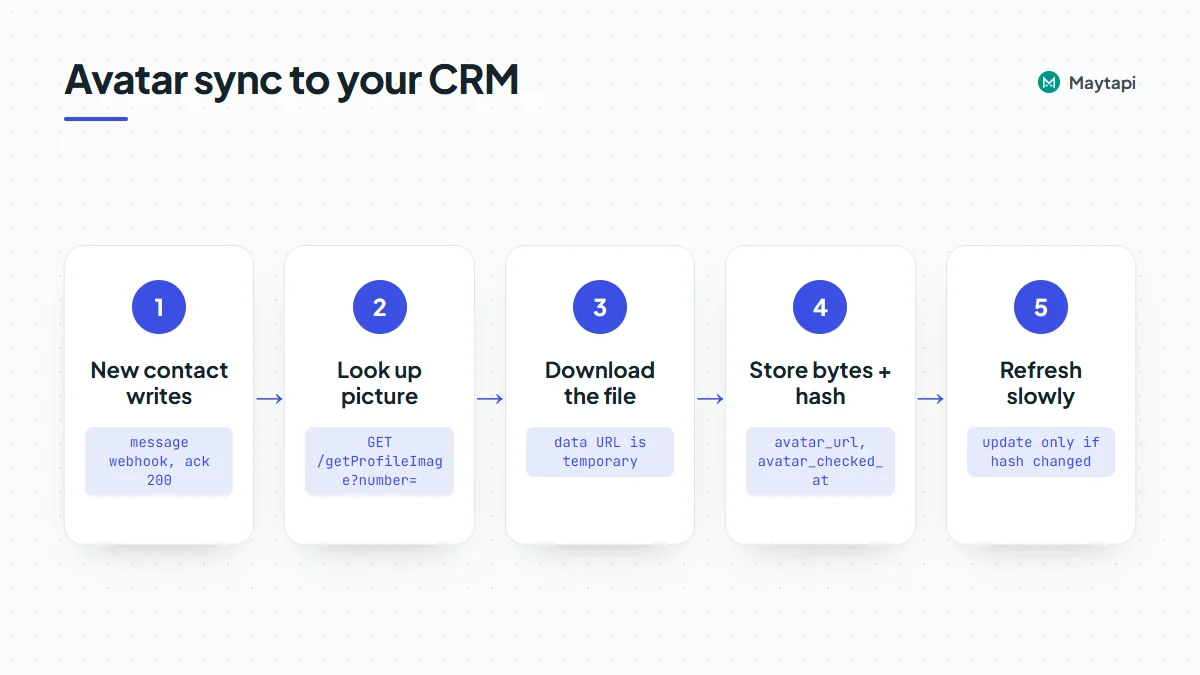
A profile photo is personal data, so store it only for contacts who have chatted with you and you have a reason to keep, delete it with the rest of their record, and cover it in your privacy notice (GDPR and similar laws apply). There is no webhook that fires when a contact changes their photo, so syncing means looking pictures up at sensible moments and refreshing them on a schedule. A pattern that works well:
- On first contact. When a message webhook arrives from a number your CRM doesn't know yet, create the contact, acknowledge the webhook with a 200, then fetch the avatar in the background. The webhook events guide shows where the sender id sits in each payload.
- Store the result, including "none". Save the stored image URL, the hash and a
checked_attimestamp. When the lookup returnssuccess: false, still savechecked_atso you don't ask again on every message. - Refresh slowly. Re-check active contacts every week or two. Compare the new hash with the stored one and only update the CRM when it changed. A picture that disappears (
success: falseafter a previous hit) may mean the contact removed it or tightened their privacy settings; clearing it in the CRM respects that. - Throttle. Run refreshes through a queue with a few lookups at a time, not a burst over your whole contact list.
import crypto from "node:crypto";

async function syncAvatar(contact) {
  const found = await fetchAvatar(contact.phone);
  const now = new Date().toISOString();
  if (!found) {
    return crm.update(contact.id, { avatar_url: null, avatar_checked_at: now });
  }
  const hash = crypto.createHash("sha256").update(found.bytes).digest("hex");
  if (hash === contact.avatar_hash) {
    return crm.update(contact.id, { avatar_checked_at: now });
  }
  const url = await storage.put(`avatars/${contact.id}.jpg`, found.bytes, found.contentType);
  return crm.update(contact.id, { avatar_url: url, avatar_hash: hash, avatar_checked_at: now });
}
crm and storage stand for your own clients. If your contacts arrive with @lid ids instead of phone numbers, resolve them first as described in WhatsApp LID to phone number so the avatar lands on the right CRM record.
Change your own profile picture
setProfileImage sets the picture of the connected WhatsApp number. Send a publicly reachable image URL in image:
curl -X POST "https://api.maytapi.com/api/$PRODUCT_ID/$PHONE_ID/setProfileImage" \
  -H "x-maytapi-key: $TOKEN" \
  -H "Content-Type: application/json" \
  -d '{"image": "https://yourwebsite.com/picture.png"}'
The response is {"success": true} when WhatsApp accepted the change. Use a square image; 512x512 pixels is the recommended size, and anything else may be cropped in the app. This is useful when you run several numbers and want the same brand logo on all of them, or rotate a seasonal picture from a script.
To go back to the default avatar, call deleteProfileImage with no body:
curl -X POST "https://api.maytapi.com/api/$PRODUCT_ID/$PHONE_ID/deleteProfileImage" \
  -H "x-maytapi-key: $TOKEN"
Set or remove a group picture
For groups, add the group id as conversation_id:
curl -X POST "https://api.maytapi.com/api/$PRODUCT_ID/$PHONE_ID/group/setProfileImage" \
  -H "x-maytapi-key: $TOKEN" \
  -H "Content-Type: application/json" \
  -d '{"conversation_id": "1415xxxxx67-1574072436@g.us", "image": "https://yourwebsite.com/picture.png"}'
group/deleteProfileImage takes only conversation_id. The usual WhatsApp group rules apply: when a group only lets admins edit its info, the connected number has to be an admin, otherwise the call fails with success: false and a message. A typical use is branding every customer group you create with your logo right after createGroup.
Common mistakes
| Symptom | Likely cause |
|---|---|
success: false, empty data |
Photo hidden by privacy, no photo set, or number not on WhatsApp |
| CRM avatars break after a few days | You stored the WhatsApp URL instead of downloading the file |
| Group lookup returns nothing | Group id missing @g.us, or your number is no longer in the group |
| Picture looks small or blurry | A preview-size image was returned; keep the previous full-size copy if you have one |
group/setProfileImage fails |
Your number isn't an admin and the group restricts info edits |
Next steps
Profile pictures are a small feature, but they make every CRM screen and support inbox easier to scan. Fetch once, store the bytes, refresh slowly and accept that some people choose not to share their photo.
- Try the endpoints in the API documentation.
- Fetch your own avatar with
getProfileImageon the 3-day free trial. - Keep CRM stages in sync too with the WhatsApp Labels API guide.
- Map
@lidsenders to phone numbers with WhatsApp LID to phone number. - Learn which events reach your server in the webhook events guide.
- Manage the groups you brand with create a WhatsApp group with the API.